Unity 6.4 New Features in 60 Seconds
 Sunny Valley Studio
Mar 24, 2026 15:47
Sunny Valley Studio
Mar 24, 2026 15:47
Create an account to hide videos, mark them watched, or save them to Don't Miss.
Create an account to hide videos, mark them watched, or save them to Don't Miss.
Create an account to hide videos, mark them watched, or save them to Don't Miss.
Unity 6.4 just dropped! In this short I cover the most
useful new features including:
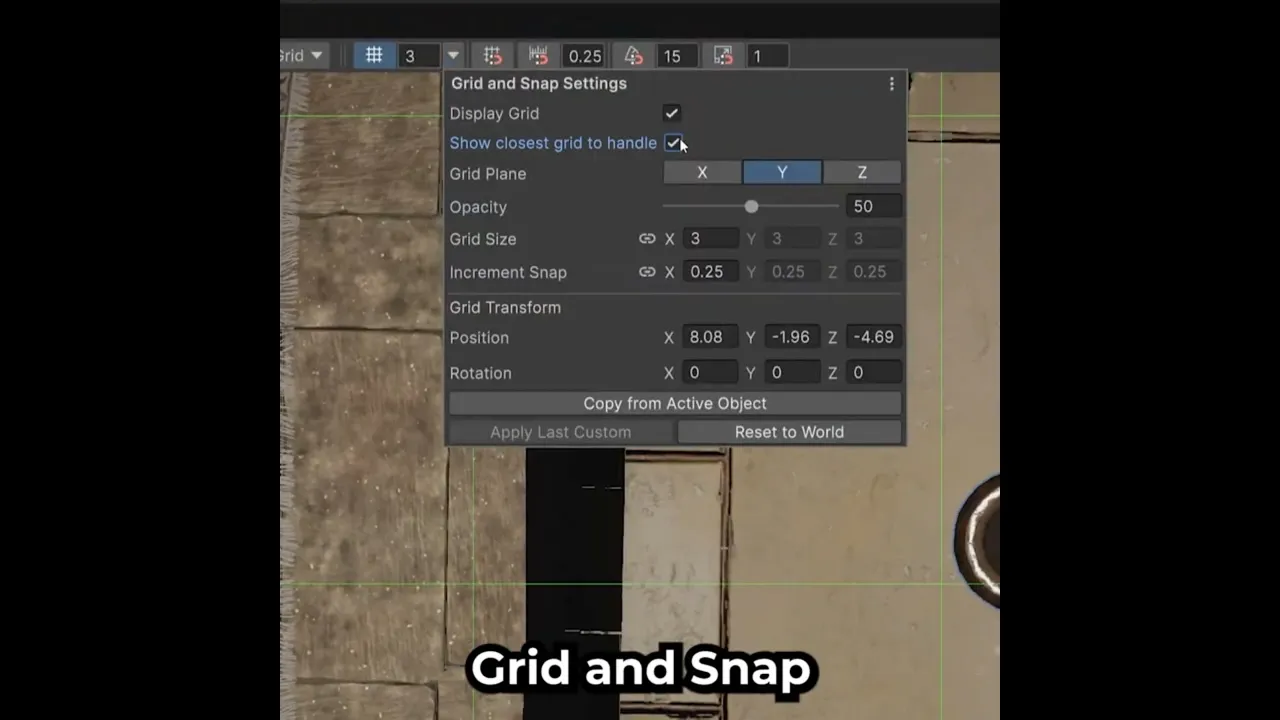
▸ New grid & snap settings — rotate and reposition
the scene grid for easier object placement
▸ Dynamic scene view panels — dock and collapse
toolbars to keep your workspace tidy
▸ Toolbar customization — reorder, hide, and restore
icons by holding Ctrl/Cmd
▸ OnMouseDown & mouse events now supported
by the Input System package
▸ Multi-select in Package Manager
🔗 Full Unity 6.4 release notes:
https://docs.unity3d.com/6000.4/Documentation/Manual/WhatsNewUnity64.html
#UnityTips #Unity6 #GameDev #Unity
Entertainment
#unity 6.4
#unity 6 new features
#unity new grid and snap settings