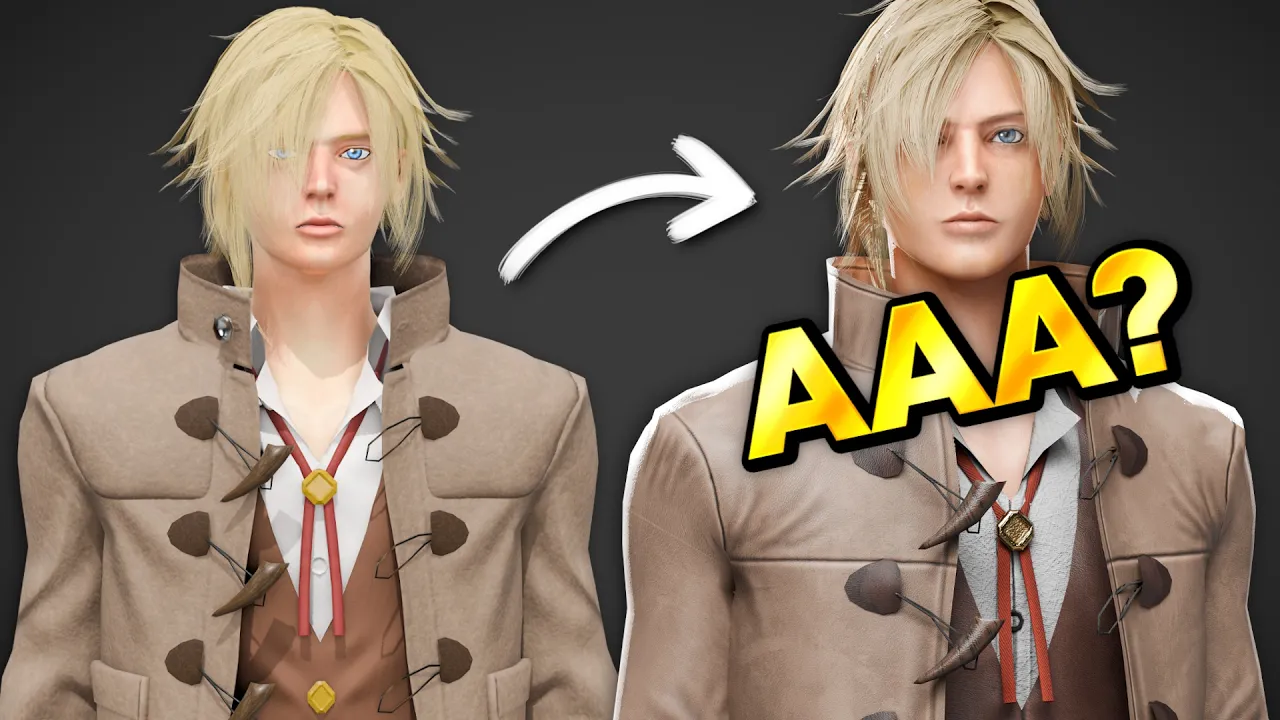
Can I Turn One Of YOUR Models Into A Realistic Game Character?
 Vertex Arcade
Sep 12, 2026 15:00
Vertex Arcade
Sep 12, 2026 15:00
Create an account to hide videos, mark them watched, or save them to Don't Miss.
Create an account to hide videos, mark them watched, or save them to Don't Miss.
Create an account to hide videos, mark them watched, or save them to Don't Miss.
Chapters
Let me Fix Your Models!
https://www.vertexarcade.com/fixes
In this episode, we're looking at three more Blender submissions covering realistic characters, shoulder rigging and gradient texturing.
For the first model, we're making an Unreal Engine 5 character more realistic by improving the model, creating a detailed High Poly sculpt, baking Normal Maps and creating more realistic textures and materials.
Next, we're fixing a character's shoulder deformation by adjusting the model and bone positions, cleaning up the Weight Painting and creating a Range of Motion animation to test the rig.
And for the final model, we're using a Gradient Palette to add more depth to a stylized character by creating fake shadows, Ambient Occlusion and extra details using the Knife Tool.
Entertainment
#Blender
#Blender 3D
#Blender tutorial
#Blender tips
#3D modeling
#3D modelling
#character modeling
#character modelling
#realistic character
#game character
#Unreal Engine 5
#UE5
#high poly sculpting
#Blender sculpting
#Substance Painter
#PBR texturing
#character texturing
#Blender rigging
#shoulder rigging
#weight painting
#gradient texturing
#UV mapping
#normal maps
#game art
#3D character
#stylized character
#character art
#Vertex Arcade
#fixing 3D models