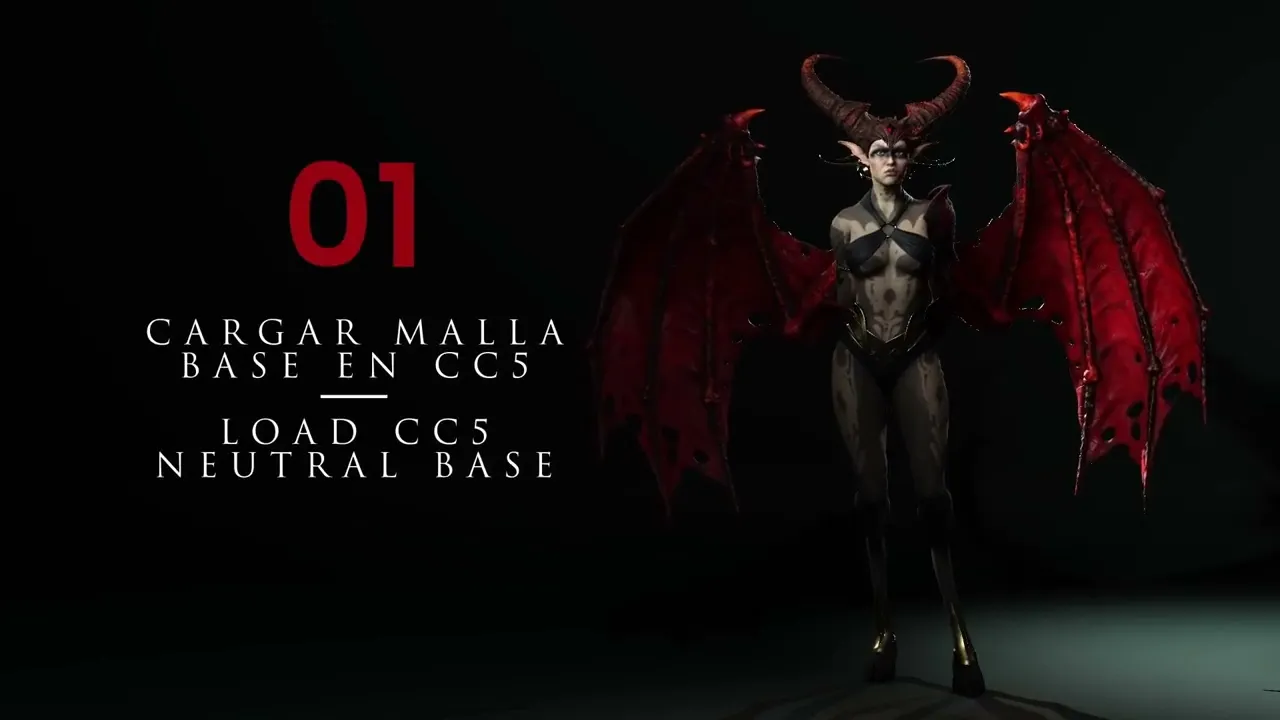
Master CC5 Base Mesh GoZ Workflow| Master Character Creator 5 & ZBrush: The Making of Veyra 01
 Reallusion
Aug 25, 2026 03:01
Reallusion
Aug 25, 2026 03:01
Create an account to hide videos, mark them watched, or save them to Don't Miss.
Create an account to hide videos, mark them watched, or save them to Don't Miss.
Create an account to hide videos, mark them watched, or save them to Don't Miss.
Chapters
TL;DR: This video teaches 3D artists and indie developers how to streamline character creation by sculpting custom HD base meshes in Character Creator 5 (v5.02) and ZBrush. Discover the powerful GoZ workflow for seamless transfers between the two applications.
⏱️ Video Chapters:
🔑 Key Takeaways & Features:
- Integrate Character Creator 5 (v5.02) with ZBrush using the GoZ+ plugin for efficient 3D sculpting workflows.
- Customize default Character Creator 5 HD base meshes with intuitive morph sliders for rapid form adjustments and unique character shapes.
- Streamline ZBrush setup with a custom UI, full HD export settings, and optimized material transfer for a focused sculpting environment.
- Transfer detailed ZBrush sculpts back to Character Creator 5, maintaining A-pose readiness for immediate animation rigging and posing.
❓ Frequently Asked Questions:
Q: How do I export my Character Creator 5 character to ZBrush for sculpting?
A: Use the GoZ+ plugin in Character Creator 5, ensuring your character is selected, then configure export settings to avoid transferring unwanted diffuse or normal maps.
Q: What are the key settings when sending a mesh from ZBrush back to Character Creator 5?
A: When returning a mesh to Character Creator 5, select subdivision level zero, and ensure color, normal, and displacement map creation are turned off in the ZBrush GoZ+ plugin settings.
Q: How can I efficiently sculpt basic character proportions in Character Creator 5?
A: Utilize the morphs tab and body modifiers to adjust overall body, limb, waist, hip, hand, and foot proportions before detailed sculpting in Character Creator 5 or ZBrush.
💻 Software & Tools Used:
- Character Creator 5
- ZBrush
- GoZ+ Plugin
- Reallusion Hub
- 3D Mouse
📝 Comprehensive Video Summary:
This video provides a comprehensive guide to sculpting custom 3D characters, focusing on the seamless integration between Character Creator 5 and ZBrush. The narrator begins by demonstrating how to load and customize the new CC5 HD base mesh, detailing effective use of morph sliders to quickly adjust character proportions, such as limb length, waist, and hand sizes. A key highlight is the in-depth explanation of the GoZ+ plugin workflow, covering initial setup, cleaning link files, and configuring precise export and import settings for transferring meshes between Character Creator 5 and ZBrush. The guide illustrates how to prepare the base mesh for sculpting, perform initial modifications in ZBrush, and efficiently update the character back in Character Creator 5, confirming its animation readiness. The video concludes with essential project saving practices in both software applications. (For the complete technical breakdown and software demonstration, please enable Closed Captions).
❆LEARN MORE❆
Learn about Character Creator 5:
https://www.reallusion.com/character-creator/
✦FOLLOW US✦
Instagram: https://www.instagram.com/reallusionofficial/
Facebook: https://www.facebook.com/ReallusionSoftware/
TikTok: https://www.tiktok.com/@reallusionofficial
LinkedIn: https://www.linkedin.com/company/reallusion
Twitter: https://twitter.com/reallusion
Blog: https://magazine.reallusion.com/
Forum: https://discussions.reallusion.com/
❆ONLINE HELP❆
Character Creator 5: https://courses.reallusion.com/home/character-creator
#CharacterCreator5 #ZBrush #DigitalSculpting
Film & Animation
#Character Creator 5
#CC5
#how to sculpt character creator 5
#cc5 zbrush workflow
#character creator 5 to zbrush
#ZBrush sculpting
#realusion
#3D character design
#3D modeling tutorial
#character creation
#digital sculpting
#GoZ+ plugin
#real-time character
#base mesh editing
#custom 3d character