Expert Review: How to make the most of Headshot 3 Plugin | Character Creator 5
 Reallusion
Sep 24, 2026 09:00
Reallusion
Sep 24, 2026 09:00
Create an account to hide videos, mark them watched, or save them to Don't Miss.
Create an account to hide videos, mark them watched, or save them to Don't Miss.
Create an account to hide videos, mark them watched, or save them to Don't Miss.
Chapters
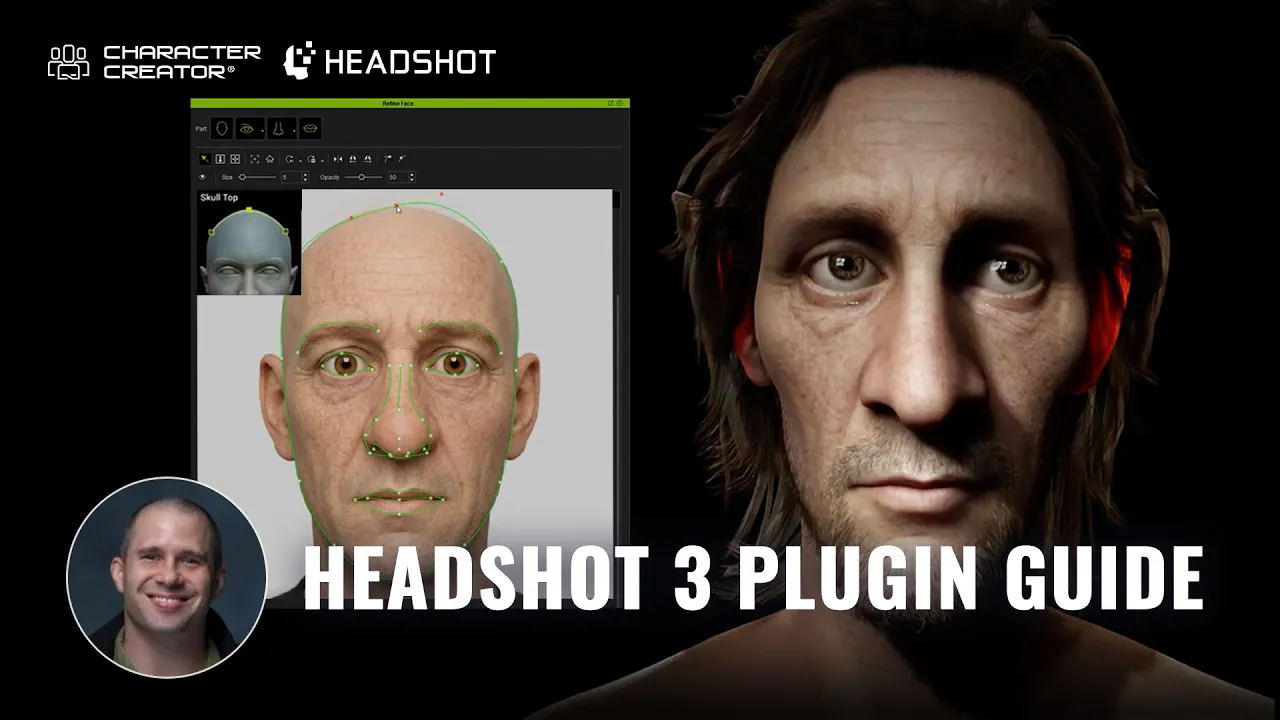
TL;DR: Headshot 3 in Character Creator 5 streamlines 3D head creation by matching 2D portraits (AI or photo) to 3D meshes using front and profile landmark alignment. Combined with built-in texture modification tools, ActorMIXER morphing, and automatic facial rigging, any 3D artist can rapidly build animation-ready realistic heads or caricatures from scratch.
⏱️ Video Chapters:
🔑 Key Takeaways & Features:
- AI-Driven Source & Cleanup Tools: Generate flat-lit 2D headshots directly in Character Creator 5 via AI or import external images, using the Modify tab to strip hair, beards, and extra features for clean texture mapping.
- Dual-View Precision Mesh Fitting: Utilize both front and true profile (100% side view) images to align anatomical landmark guides and Bezier curves for accurate 3D geometry generation.
- Stylization via ActorMIXER: Blend realistic facial meshes with the Caricature MIXER Pack to adjust facial and body proportions into custom stylized characters without losing base feature matching.
❓ Frequently Asked Questions:
Q: Can I use photos created with third-party AI generators like Midjourney?
A: Yes! Headshot 3 accepts external images. If your source image contains baked-in shadows or unwanted hair, try to regenerate it with AI prompt, and always mention that the character’s face should be fully lit for best results. This will give you a good start in achieving a reliable image for the later AI 3D head.
Q: Why is flat-lit lighting so important for source photos?
A: Flat lighting eliminates directional shadows on the base diffuse texture, allowing Character Creator's dynamic lights and shaders to render realistic highlights and shadows in real-time without visual artifacts.
Q: How do I fix teeth or eye clipping during facial animation testing?
A: You can adjust the eyeball depth, width, and height morph sliders to ensure proper eyelid contact. For teeth clipping, use the “Teeth Upper/Lower Depth morphs” or run the correct eye blink tool under the Character menu.
💻 Software & Tools Used:
- iClone 8 (iC8)
- Character Creator 5 (CC5)
- Headshot 3 plugin for CC5
- Headshot Morph 1400+
- HD Caricature Mixer
- Beard & Brows Builder
📖 Read Full Article:
https://magazine.reallusion.com/2026/09/24/headshot-3-plugin-guide-ai-3d-head-generation-in-character-creator/
🎨 Featured Artist/Studio:
John Blalock
https://www.linkedin.com/in/john-blalock-7393271/
📝 Comprehensive Video Summary:
In this video, 3D artist Jon Blalock demonstrates how to match 2D portraits to 3D meshes using Character Creator 5 with Headshot 3. The workflow, combined with built-in texture modification tools, ActorMIXER morphing, and automatic facial rigging, lets you rapidly build animation-ready realistic heads or caricatures from scratch.
🎁 Get it Today:
https://www.reallusion.com/character-creator/headshot/
https://www.reallusion.com/contentstore/character-creator/3d-character/hd-caricature-mixer/default.html
https://www.reallusion.com/contentstore/character-creator/pack/beard-and-brows-builder/default.html
❆LEARN MORE❆
Learn about Character Creator 5:
https://www.reallusion.com/character-creator/
✦FOLLOW US✦
Instagram: https://www.instagram.com/reallusionofficial/
Facebook: https://www.facebook.com/ReallusionSoftware/
TikTok: https://www.tiktok.com/@reallusionofficial
LinkedIn: https://www.linkedin.com/company/reallusion
Twitter: https://twitter.com/reallusion
Blog: https://magazine.reallusion.com/
Forum: https://discussions.reallusion.com/
❆ONLINE HELP❆
Character Creator 5: https://courses.reallusion.com/home/character-creator
#CharacterCreator5 #Headshot3 #ActorMIXER
Film & Animation
#Character Creator 5
#iClone 8
#Headshot 3
#stylized character workflow
#how to make cartoon characters
#real-time facial mocap
#AI character design
#Character Creator 5 tutorial
#iClone animation
#video mocap
#3D character creation
#blender
#3d caricature
#stylized character
#3d head
#3d head scan
#AI 2D to 3D
#AI 3D workflow