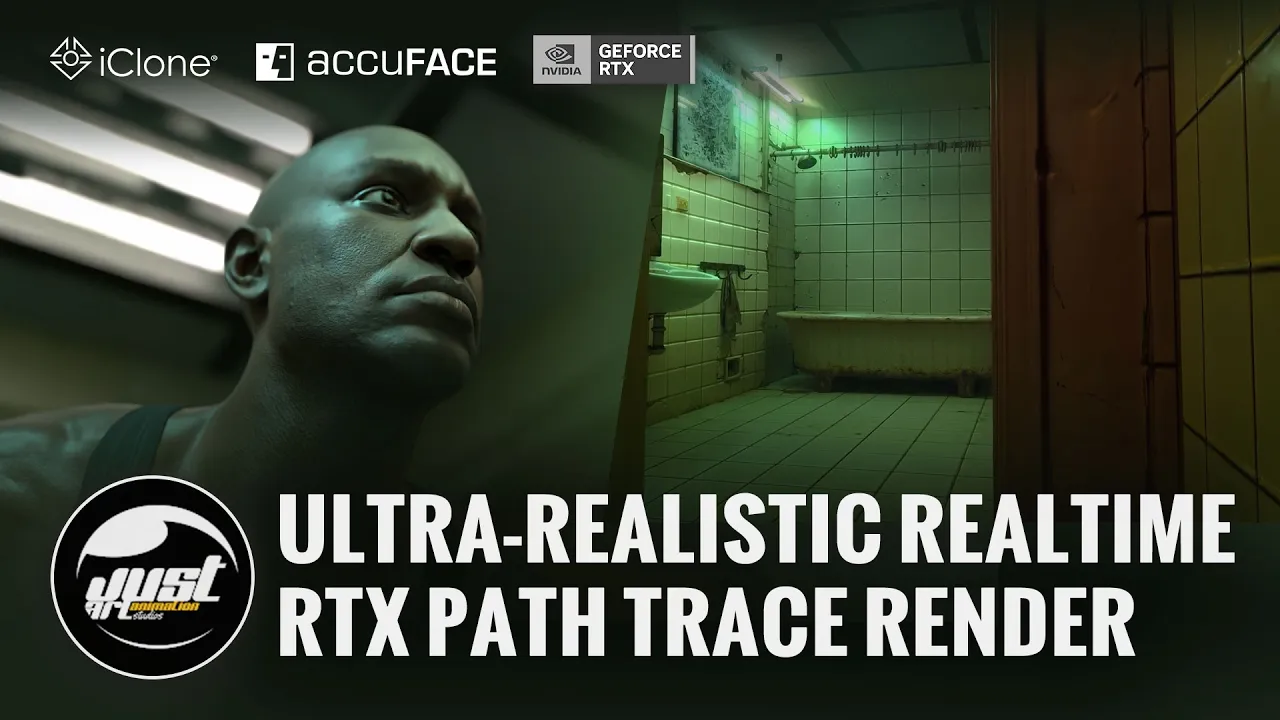
Ultra-Realistic Realtime RTX Path Trace Render in iClone
 Reallusion
Sep 21, 2026 02:16
Reallusion
Sep 21, 2026 02:16
Create an account to hide videos, mark them watched, or save them to Don't Miss.
Create an account to hide videos, mark them watched, or save them to Don't Miss.
Create an account to hide videos, mark them watched, or save them to Don't Miss.
Chapters
TL;DR: This video guides 3D artists, indie developers, and studios through achieving ultra-realistic, real-time RTX Path Traced renders directly within iClone 8 and Character Creator 5. It solves the challenge of producing stunning, near-offline quality visuals for animation and movie production without complex external rendering workflows.
⏱️ Video Chapters:
🔑 Key Takeaways & Features:
- Achieve near-offline quality path-traced renders instantly within iClone 8 and Character Creator 5.
- Render directly in iClone 8 and Character Creator 5, eliminating the need for external software exports.
- Simulate physically accurate lighting including soft shadows, true image-based lighting, and dynamic procedural skies.
- Utilize advanced RTX material systems for realistic transmission (glass, liquids), coat (car paint), sheen (fabrics), and true emissive surfaces.
- Optimize render performance by adjusting samples (e.g., from default 1000 to 64 for faster output) and bounce counts based on hardware capacity.
- Integrate AccuFACE 2 for real-time facial motion capture, supporting both live webcam and prerecorded video files, to enhance character performance.
❓ Frequently Asked Questions:
Q: What is RTX Render in iClone 8 and Character Creator 5?
A: RTX Render is a new path-traced render mode, available as a free open beta, that provides near-offline rendering quality directly inside iClone 8 and Character Creator 5.
Q: How does RTX Render enhance visual realism for digital humans?
A: It employs subsurface scattering for realistic skin translucency, a dedicated physical hair shader, and realistic eye refraction, bringing digital characters to life.
Q: Can existing iClone projects benefit from RTX Render?
A: Yes, existing projects convert automatically to RTX Render mode, allowing users to re-render old projects with enhanced path-traced realism.
💻 Software & Tools Used:
- iClone 8
- Character Creator 5
- RTX Render
- AccuFACE 2
📖 Read More:
https://magazine.reallusion.com/2026/09/21/ultra-realistic-realtime-rtx-path-trace-render-in-iclone/
👉 Join the RTX Render BETA:
https://magazine.reallusion.com/2026/07/28/rtx-render-open-beta-begins-path-traced-quality-inside-character-creator-5-and-iclone-8/
🎨 Featured Artist/Studio:
Benjamin Sokomba Dazhi (Benny Dee)
https://www.instagram.com/therealbennydee
📝 Comprehensive Video Summary:
Benjamin Sokomba Dazhi (Benny Dee), an accomplished 3D animator, director, and storyteller, presents an insightful guide on leveraging the new RTX Render in iClone 8 and Character Creator 5. Titled "Ultra-Realistic Realtime RTX Path Trace Render in iClone," this video demonstrates how to achieve stunning, near-offline quality renders directly within these creative software platforms, bypassing the need for external export. Benny Dee expertly walks through preparing high-quality assets in Character Creator 5, setting up intricate scenes and advanced lighting in iClone 8, and utilizing dynamic RTX material systems. He further illustrates how to incorporate real-time facial motion capture with the AccuFACE 2 plugin and optimize render settings for efficient production, showcasing the transformative capabilities of RTX Path Tracing for animation and movie studios. (For the complete technical breakdown and software demonstration, please enable Closed Captions).
❆LEARN MORE❆
Learn about iClone 8:
https://www.reallusion.com/iclone/
Learn about Character Creator 5:
https://www.reallusion.com/character-creator/
✦FOLLOW US✦
Instagram: https://www.instagram.com/reallusionofficial/
Facebook: https://www.facebook.com/ReallusionSoftware/
TikTok: https://www.tiktok.com/@reallusionofficial
LinkedIn: https://www.linkedin.com/company/reallusion
Twitter: https://twitter.com/reallusion
Blog: https://magazine.reallusion.com/
Forum: https://discussions.reallusion.com/
❆ONLINE HELP❆
iClone 8: https://courses.reallusion.com/home/iclone
Character Creator 5: https://courses.reallusion.com/home/character-creator
#RTX #iClone8 #pathtracing
Film & Animation
#iClone 8
#Character Creator 5
#RTX Render
#how to use RTX render
#realistic renders iClone
#path tracing tutorial
#iClone8
#CharacterCreator5
#ray tracing
#3D animation
#real-time rendering
#digital humans
#Benny Dee
#Reallusion
#AccuFACE 2
#NVIDIA RTX