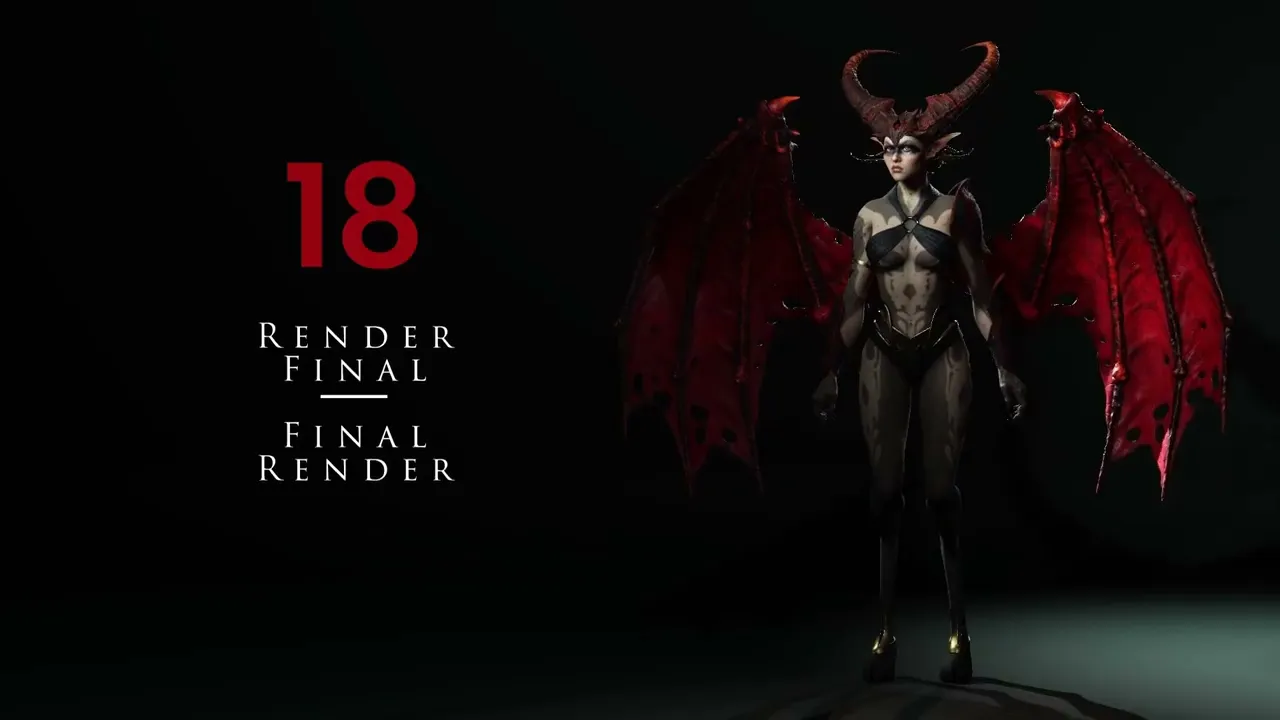
Final Render | Master Character Creator 5 & ZBrush: The Making of Veyra 18
 Reallusion
Aug 25, 2026 03:05
Reallusion
Aug 25, 2026 03:05
Create an account to hide videos, mark them watched, or save them to Don't Miss.
Create an account to hide videos, mark them watched, or save them to Don't Miss.
Create an account to hide videos, mark them watched, or save them to Don't Miss.
Chapters
TL;DR: This video provides a complete guide to achieving stunning final renders in Character Creator 5, perfect for 3D artists and studios looking to export high-quality still images, animations, and 360° turntables directly within the software. Master advanced posing, lighting, and export settings for professional results.
⏱️ Video Chapters:
🔑 Key Takeaways & Features:
- Configure high-resolution still image renders up to 4000x4000 pixels, ensuring 100% quality, high depth of field, and Subdivision Level 1 for pristine detail in Character Creator 5.
- Export dynamic character animations in MP4 format at 1920x1080 resolution, 30 frames per second, with advanced depth of field and Subdivision Level 1.
- Precisely adjust character makeup using color, blur, and saturation controls to achieve subtle or dramatic effects, alongside intricate mouth and teeth texturing.
- Master robust facial editing features, including muscle adjustments, expressive sliders, and exact numerical control over teeth positioning (e.g., utilizing negative values like -40 or -50 for precise alignment).
- Create compelling character presentations, including both static poses and interactive 360° turntable videos, directly within the Character Creator 5 environment.
❓ Frequently Asked Questions:
Q: How do I achieve high-quality renders in Character Creator 5?
A: Optimize render settings, choose large custom resolutions (e.g., 4000x4000 pixels), set 100% quality, and enable high-quality depth of field with Subdivision Level 1.
Q: Can I customize character expressions and poses in Character Creator 5?
A: Yes, Character Creator 5 offers extensive tools for manual posing using joint gizmos, pre-configured pose libraries, and detailed facial expression editing via muscle and slider adjustments.
Q: What video export options are available for animations in Character Creator 5?
A: Character Creator 5 allows exporting animations as MP4 video at resolutions like 1920x1080, 30 frames per second, with customizable quality, depth of field, and Subdivision Level 1.
💻 Software & Tools Used:
- Character Creator 5
- Substance Painter
- ZBrush
📝 Comprehensive Video Summary:
This tutorial offers a comprehensive guide to achieving stunning "Final Render" results directly within Character Creator 5. It details the complete workflow from applying realistic character makeup and refining intricate mouth and teeth textures, to expertly setting up environmental lighting and studio backdrops. Viewers will learn precise character posing techniques, including manual joint manipulation and leveraging pre-configured pose libraries, alongside advanced facial expression editing capabilities. The guide also covers the full export pipeline for high-resolution still images (e.g., 4000x4000 pixels at Subdivision Level 1), dynamic character animations (MP4, 1920x1080, 30fps), and engaging 360° turntable videos, all optimized for maximum visual impact within Character Creator 5.
(For the complete technical breakdown and software demonstration, please enable Closed Captions).
❆LEARN MORE❆
Learn about Character Creator 5:
https://www.reallusion.com/character-creator/
✦FOLLOW US✦
Instagram: https://www.instagram.com/reallusionofficial/
Facebook: https://www.facebook.com/ReallusionSoftware/
TikTok: https://www.tiktok.com/@reallusionofficial
LinkedIn: https://www.linkedin.com/company/reallusion
Twitter: https://twitter.com/reallusion
Blog: https://magazine.reallusion.com/
Forum: https://discussions.reallusion.com/
❆ONLINE HELP❆
Character Creator 5: https://courses.reallusion.com/home/character-creator
#CharacterCreator5 #Reallusion #3Drendering
Film & Animation
#Character Creator 5
#CC5
#how to render 3d character
#character creator 5 tutorial
#how to pose 3d character
#animate character creator 5
#Character Creator 5 render
#CharacterCreator5
#Reallusion Character Creator
#3D character design
#3D animation
#real-time animation
#game development
#movie studio animation
#3d rendering