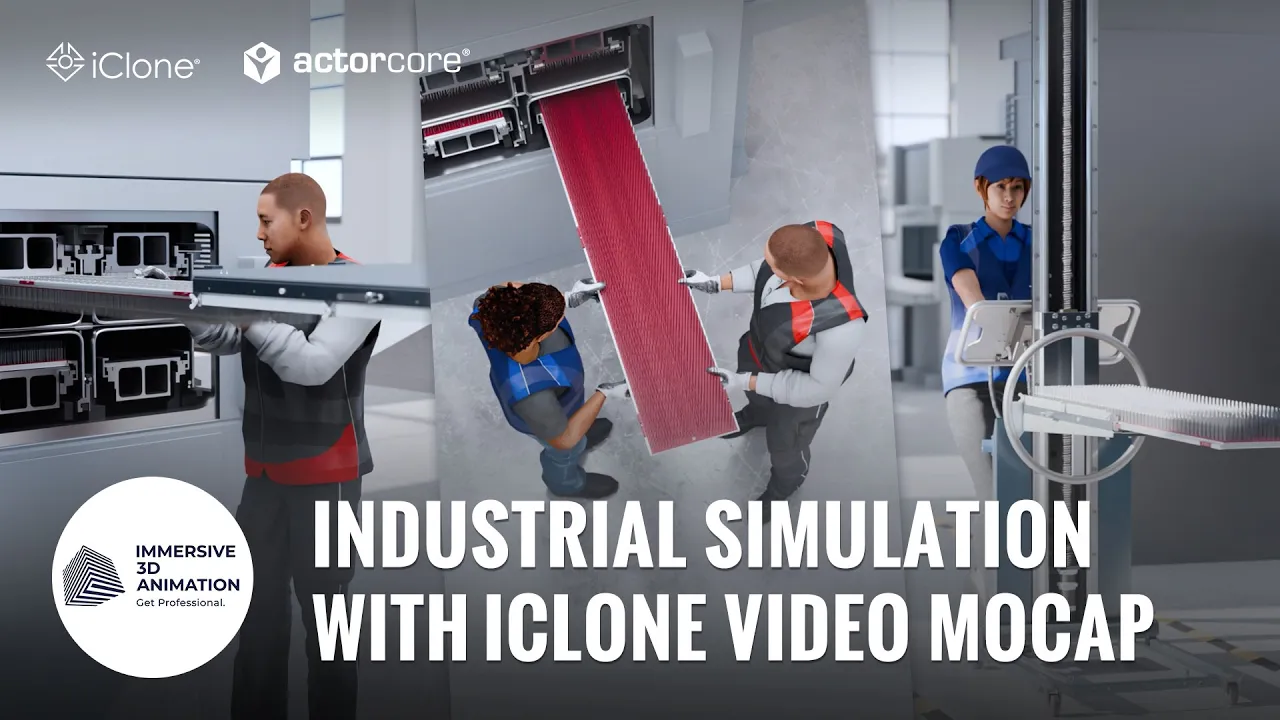
Cost-Effective Industrial Animations with ActorCore & iClone Video Mocap
 Reallusion
Jul 22, 2026 02:58
Reallusion
Jul 22, 2026 02:58
Create an account to hide videos, mark them watched, or save them to Don't Miss.
Create an account to hide videos, mark them watched, or save them to Don't Miss.
Create an account to hide videos, mark them watched, or save them to Don't Miss.
Chapters
TL;DR: Learn a proven workflow for cost-effective industrial 3D character animation in iClone 8. This guide helps artists and studios quickly integrate convincing character actions into product and explainer videos using ActorCore and Video Mocap. Solve the challenge of delivering high-quality animations efficiently.
⏱️ Video Chapters:
🔑 Key Takeaways & Features:
- Source professionally rigged 3D AEC Workers from the ActorCore asset store for diverse industrial scenarios.
- Generate high-quality 3D motion data directly from smartphone video footage using iClone Video Mocap.
- Refine captured animations with precise cleanup and adjustment functions within the iClone 8 animation environment.
- Integrate characters and motion seamlessly into Blender using the Reallusion Blender Auto-Setup add-on.
- Perform non-destructive animation edits and object interactions in Blender.
❓ Frequently Asked Questions:
Q: How can studios create convincing character animations for industrial videos quickly and cost-effectively?
A: By leveraging a streamlined workflow using ActorCore for characters, iClone Video Mocap for fast motion generation, and Blender for final scene assembly.
Q: What specific tools are recommended for this efficient 3D character animation pipeline?
A: The recommended tools include iClone 8, Video Mocap, ActorCore, Blender Auto-Setup, and Blender.
Q: Is it possible to refine motion capture data after it's generated from video footage?
A: Yes, iClone 8 provides tools for cleanup and adjustments, and further non-destructive refinements can be made in Blender.
💻 Software & Tools Used:
- iClone 8
- ActorCore
- iClone Video Mocap
- Blender Auto-Setup
- Blender
- Animation Layers add-on
🎨 Featured Studio:
https://www.immersive-animation.com/en
📝 Comprehensive Video Summary:
Mensur, CEO of Immersive 3D Animation, presents a proven, cost-effective industrial animation workflow utilizing ActorCore and iClone Video Mocap. This video demonstrates how studios can efficiently create convincing character animations for complex industrial product and explainer videos. The process involves sourcing rigged characters like 3D AEC Workers from ActorCore, capturing custom motions using iClone Video Mocap and a smartphone, and refining these animations. The workflow seamlessly integrates into Blender using the Blender Auto-Setup add-on, allowing for further cleanup, object interaction, and non-destructive edits with the Animation Layers add-on before final rendering. This methodology addresses the critical need for fast, high-quality character integration without being the central focus of the production.
❆LEARN MORE❆
Learn about iClone 8:
https://www.reallusion.com/iclone/
Learn about iClone Video Mocap:
https://www.reallusion.com/iclone/video-mocap/
Learn about ActorCore:
https://actorcore.reallusion.com/
✦FOLLOW US✦
Instagram: https://www.instagram.com/reallusionofficial/
Facebook: https://www.facebook.com/ReallusionSoftware/
TikTok: https://www.tiktok.com/@reallusionofficial
LinkedIn: https://www.linkedin.com/company/reallusion
Twitter: https://twitter.com/reallusion
Blog: https://magazine.reallusion.com/
Forum: https://discussions.reallusion.com/
❆ONLINE HELP❆
iClone 8: https://courses.reallusion.com/home/iclone
ActorCore: https://courses.reallusion.com/home/actorcore
#iClone8 #VideoMocap #ActorCore
Film & Animation
#iClone 8
#ActorCore
#how to make industrial animation
#phone mocap workflow
#iclone blender pipeline
#video mocap tutorial
#3d explainer video
#iClone8
#3d animation
#character animation
#realtime animation
#blender animation