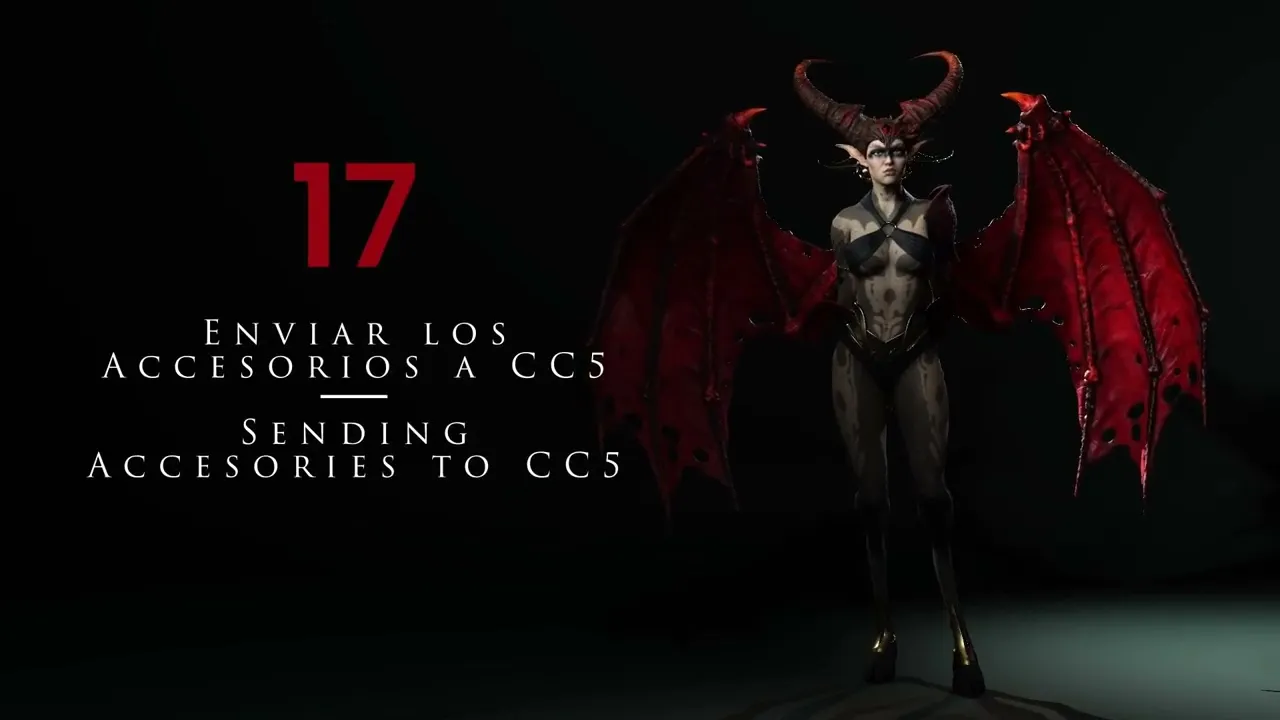
Transfer ZBrush Assets to CC5 | Master Character Creator 5 & ZBrush: The Making of Veyra 17
 Reallusion
Aug 25, 2026 03:05
Reallusion
Aug 25, 2026 03:05
Create an account to hide videos, mark them watched, or save them to Don't Miss.
Create an account to hide videos, mark them watched, or save them to Don't Miss.
Create an account to hide videos, mark them watched, or save them to Don't Miss.
Chapters
TL;DR: Learn to seamlessly transfer custom 3D accessories and clothing from ZBrush to Character Creator 5 for animation. This tutorial empowers 3D artists to integrate external assets and correctly set up deformation behaviors, ensuring your characters are production-ready. Solve common asset integration challenges for Character Creator 5 with this proven workflow.
⏱️ Video Chapters:
🔑 Key Takeaways & Features:
- Streamline asset transfer: Quickly send ZBrush subtools to Character Creator 5, including poly paint, color, normal, and displacement maps.
- Accelerate map generation: Experience rapid transfer times, with map generation for accessories taking approximately 25-30 seconds, significantly faster than typical body transfers (up to 5 minutes).
- Precisely link accessories: Assign accessories to specific body parts (e.g., horns to head, armor to forearms) using the "pick parent" function for correct animation behavior.
- Define clothing physics: Configure deformable elements as "shoes" or "clothing" in Character Creator 5 to ensure they adapt to body movement and animation cycles.
- Refine mesh collision: Utilize CC5's conform function and mesh sculpt tools with symmetry to adjust clothing, prevent intersections, and optimize fit for dynamic animation.
❓ Frequently Asked Questions:
Q: How do I transfer accessories from ZBrush to Character Creator 5?
A: Use the GoZ plugin to send selected subtools from ZBrush, including poly paint, normal, and displacement maps, directly to Character Creator 5.
Q: How do I ensure accessories move correctly with the Character Creator 5 character during animation?
A: After importing, link accessories to the correct body part (e.g., head, forearm) in Character Creator 5 using the "pick parent" option.
Q: How can I make clothing or deformable assets fit the character's body in Character Creator 5?
A: Convert the imported asset to "clothing" or "shoes" and utilize Character Creator 5's conform function, then fine-tune with mesh sculpt tools if needed.
💻 Software & Tools Used:
- Character Creator 5
- ZBrush
- Marvelous Designer
📝 Comprehensive Video Summary:
This tutorial offers an in-depth guide to efficiently transferring 3D accessories and clothing from ZBrush to Character Creator 5, aligning with the core topic of 'Sending Accessories To CC5'. It details the essential steps for preparing assets in ZBrush, including setting subdivision levels and generating necessary maps like poly paint, normal, and displacement. The demonstration covers linking rigid accessories to specific body parts, such as horns to the head, and configuring deformable items like hooves as shoes or other clothing types. Viewers will learn to troubleshoot common issues like incorrect positioning and collision, utilizing Character Creator 5's conform function and mesh sculpting tools. The workflow ensures all transferred assets are properly integrated and animated, making characters fully functional for various production goals like rendering, printing, or real-time animation. (For the complete technical breakdown and software demonstration, please enable Closed Captions).
❆LEARN MORE❆
Learn about Character Creator 5:
https://www.reallusion.com/character-creator/
✦FOLLOW US✦
Instagram: https://www.instagram.com/reallusionofficial/
Facebook: https://www.facebook.com/ReallusionSoftware/
TikTok: https://www.tiktok.com/@reallusionofficial
LinkedIn: https://www.linkedin.com/company/reallusion
Twitter: https://twitter.com/reallusion
Blog: https://magazine.reallusion.com/
Forum: https://discussions.reallusion.com/
❆ONLINE HELP❆
Character Creator 5: https://courses.reallusion.com/home/character-creator
#CharacterCreator5 #ZBrush #3DAnimation
Film & Animation
#Character Creator 5
#CC5
#how to import zbrush to character creator 5
#how to animate accessories in cc5
#how to link props in character creator
#ZBrush to CC5
#Character Creator ZBrush
#3D character animation
#character rigging
#3D modeling
#real-time animation
#game development
#3D workflow