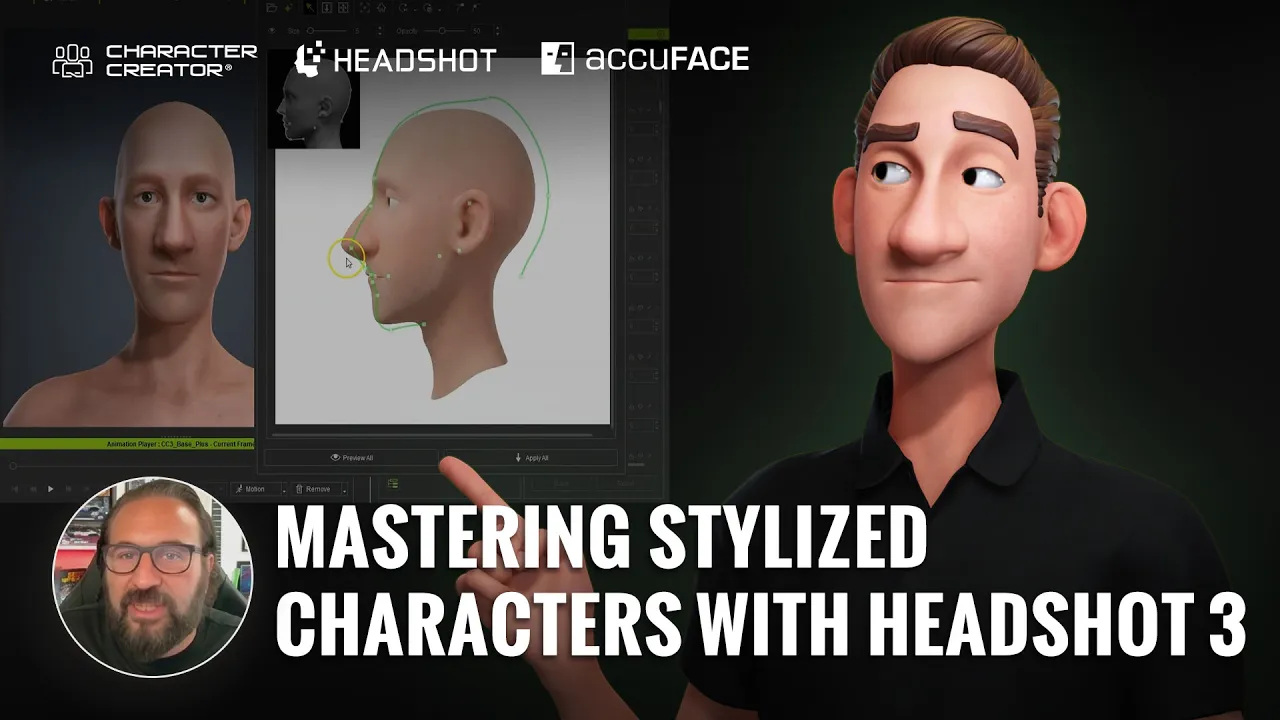
Mastering Stylized Characters with Character Creator 5 Headshot 3 AccuFACE 2
 Reallusion
Aug 31, 2026 02:40
Reallusion
Aug 31, 2026 02:40
Create an account to hide videos, mark them watched, or save them to Don't Miss.
Create an account to hide videos, mark them watched, or save them to Don't Miss.
Create an account to hide videos, mark them watched, or save them to Don't Miss.
Chapters
TL;DR: This video teaches indie developers and 3D artists how to rapidly create, refine, and animate production-ready stylized characters using Character Creator 5, Headshot 3 and AccuFACE 2. Antony Evans demonstrates a proven workflow for crafting unique looks and bringing them to life with iClone 8 and AccuFACE 2 facial mocap.
⏱️ Video Chapters:
🔑 Key Takeaways & Features:
- Generate production-ready, fully rigged, animation-ready 3D heads from photos using Headshot 3's proprietary AI, even for stylized characters.
- Refine 3D head likeness precisely with Character Creator 5's comprehensive Face Adjustment and Active Sculpt tools, supporting unique cartoon proportions.
- Animate characters with iClone 8 Video Mocap, converting AI-generated or filmed video (e.g., from AI Studio) into full-body 3D motion capture.
- Capture micro facial expressions accurately with AccuFACE 2, leveraging NVIDIA RTX and an advanced Expression Curve editor superior to MetaHuman Animator.
- Streamline character creation and animation with Headshot 3's built-in lip sync rigging, texture projection (brush, stencil/clone tools), and CC5's optimized topology, making complex workflows fast.
❓ Frequently Asked Questions:
Q: How does Headshot 3 handle stylized characters?
A: Headshot 3 leverages AI trained on realistic human features, but its robust refinement tools allow for successful creation and proportion pushing of stylized cartoon characters.
Q: What is the primary benefit of AccuFACE 2 for facial animation?
A: AccuFACE 2 provides highly accurate facial tracking with an Expression Curve editor, enabling precise customization of micro facial expressions, a key advantage over tools like MetaHuman Animator.
Q: Can I create full-body motion capture without a mocap suit?
A: Yes, iClone 8's Video Mocap tool converts standard video footage (even AI-generated clips) into production-ready 3D character animations without requiring a physical motion capture suit.
💻 Software & Tools Used:
- iClone 8 (iC8)
- Character Creator 5 (CC5)
- Headshot 3 plugin for CC5
- AccuFACE 2 plugin for iC8
- Headshot Morph 1400+
- Headshot Plugin Resource Pack
- AI Studio
- iClone Video Mocap
- ZBrush
📖 Read Full Article:
https://magazine.reallusion.com/2026/08/31/mastering-stylized-characters-with-character-creator-5-headshot-3/
🎨 Featured Artist/Studio:
Antony Evans / Digital Puppets UK
https://www.digitalpuppets.co.uk/
https://www.youtube.com/digitalpuppets
📝 Comprehensive Video Summary:
In this video, realtime animator Antony Evans of Digital Puppets UK demonstrates how to create production-ready, fully rigged stylized 3D heads from photos using Character Creator 5 and Headshot 3. He covers AI concept generation, character refinement, and animation in iClone 8 using Video Mocap and NVIDIA RTX-powered AccuFACE 2 for precise facial and body animation.
🎁 Get it Today:
https://www.reallusion.com/character-creator/headshot/
https://www.reallusion.com/iclone/motion-capture/accuface.html
👉 Claim here: https://www.reallusion.com/plan-and-pricing/individual/perpetual
❆LEARN MORE❆
Learn about iClone 8:
https://www.reallusion.com/iclone/
Learn about Character Creator 5:
https://www.reallusion.com/character-creator/
✦FOLLOW US✦
Instagram: https://www.instagram.com/reallusionofficial/
Facebook: https://www.facebook.com/ReallusionSoftware/
TikTok: https://www.tiktok.com/@reallusionofficial
LinkedIn: https://www.linkedin.com/company/reallusion
Twitter: https://twitter.com/reallusion
Blog: https://magazine.reallusion.com/
Forum: https://discussions.reallusion.com/
❆ONLINE HELP❆
iClone 8: https://courses.reallusion.com/home/iclone
Character Creator 5: https://courses.reallusion.com/home/character-creator
#CharacterCreator5 #Headshot3 #AccuFACE2
Film & Animation
#Character Creator 5
#iClone 8
#Headshot 3
#AccuFACE 2
#stylized character workflow
#how to make cartoon characters
#real-time facial mocap
#AI character design
#Character Creator 5 tutorial
#iClone animation
#video mocap
#3D character creation
#digital puppets
#ZBrush integration
#Unreal Engine