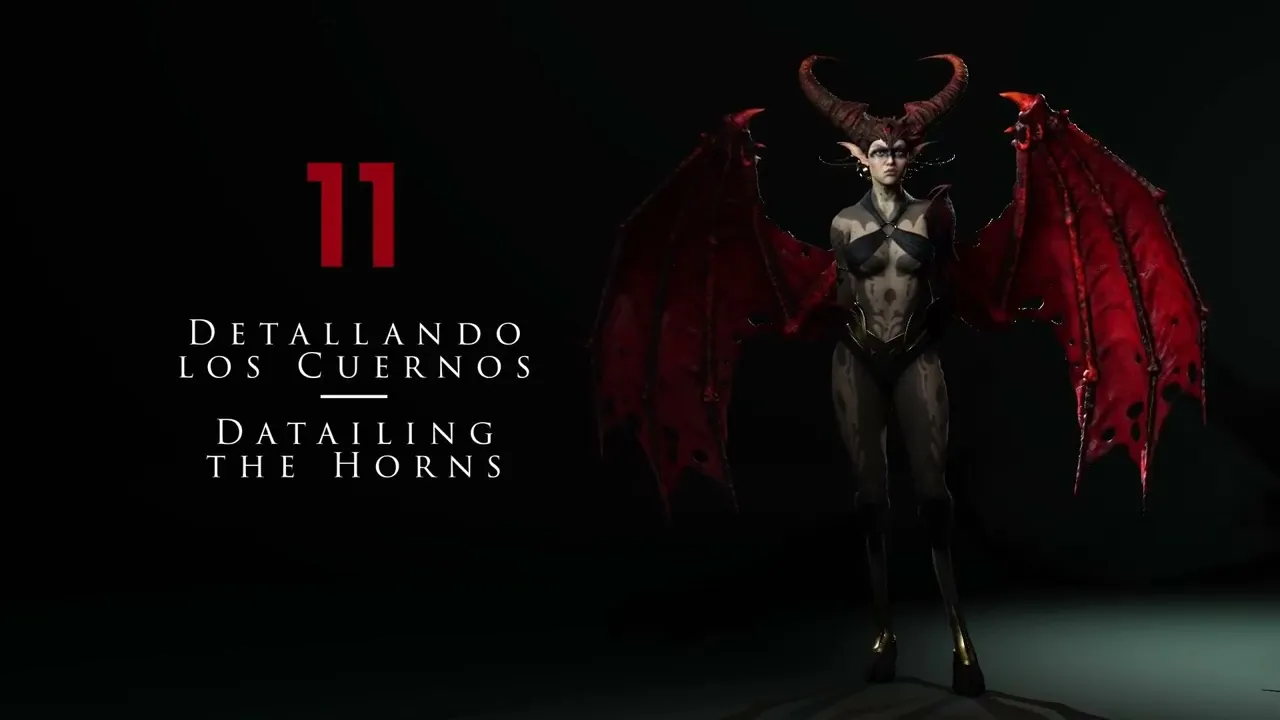
How to Detail Horns & Helmets | Master Character Creator 5 & ZBrush: The Making of Veyra 11
 Reallusion
Aug 25, 2026 03:04
Reallusion
Aug 25, 2026 03:04
Create an account to hide videos, mark them watched, or save them to Don't Miss.
Create an account to hide videos, mark them watched, or save them to Don't Miss.
Create an account to hide videos, mark them watched, or save them to Don't Miss.
Chapters
TL;DR: Master Character Creator 5 by learning to detail character horns and helmets. This tutorial guides 3D artists and indie developers through advanced sculpting, UV mapping, and noise texture techniques to create menacing, organic accessories in Character Creator 5.
⏱️ Video Chapters:
🔑 Key Takeaways & Features:
- Isolate 3D character accessories into subtools for detailed sculpting and texturing.
- Sculpt specific forms, like menacing horn shapes, using ZBrush's Move tool with acu curve.
- Generate efficient UV layouts for complex geometry leveraging ZBrush UV Master and crease polygroups.
- Apply intricate surface noise textures (e.g., wood, Maxon noises) to models using UVs and mask by noise.
- Manage polygon density by subdividing models up to 1 million polygons for high-fidelity detailing.
- Enhance accessories with VDM brushes for scales and Zmodeler for hard-surface elements like gems.
❓ Frequently Asked Questions:
Q: How do I separate character accessories for independent detailing?
A: Use Control-Shift-Click to isolate parts and split hidden to create new subtools for focused work.
Q: What sculpting techniques create a menacing look for character features?
A: Utilize pointed, spike-like shapes with tools like acu curve to convey a diabolical or evil aesthetic.
Q: How can I apply organic textures to character accessories using UVs?
A: Generate UVs with ZBrush UV Master, define seams with crease polygroups, then apply noise textures using UV mapping.
Q: What tools are essential for crafting hard-surface elements like gems?
A: Leverage Zmodeler and QCube primitives to build precise geometric shapes, then refine with masking and transform tools.
💻 Software & Tools Used:
- Character Creator 5
- ZBrush
- ZBrush UV Master
- Zmodeler
- VDM Brushes
📝 Comprehensive Video Summary:
This expert tutorial, "Detailing The Horns," demonstrates advanced 3D modeling and sculpting techniques to enhance character accessories, specifically horns and helmets, for use within a Character Creator 5 pipeline. The video meticulously outlines the process of separating subtools, shaping organic forms with ZBrush's Move tool and acu curve, and performing precise UV mapping using ZBrush UV Master. Viewers learn to apply complex surface noise textures, including wood and Maxon noises, by leveraging UVs and mask by noise functionality. Furthermore, the tutorial covers subdividing models for intricate detailing, sculpting with VDM brushes for scales and spikes, and crafting hard-surface elements like gemstones using Zmodeler and the Bend Curve tool, ensuring a menacing and organic final aesthetic. (For the complete technical breakdown and software demonstration, please enable Closed Captions).
❆LEARN MORE❆
Learn about Character Creator 5:
https://www.reallusion.com/character-creator/
✦FOLLOW US✦
Instagram: https://www.instagram.com/reallusionofficial/
Facebook: https://www.facebook.com/ReallusionSoftware/
TikTok: https://www.tiktok.com/@reallusionofficial
LinkedIn: https://www.linkedin.com/company/reallusion
Twitter: https://twitter.com/reallusion
Blog: https://magazine.reallusion.com/
Forum: https://discussions.reallusion.com/
❆ONLINE HELP❆
Character Creator 5: https://courses.reallusion.com/home/character-creator
#CharacterCreator5 #ZBrush #3DModeling
Film & Animation
#character creator 5
#zbrush
#how to sculpt horns
#how to detail helmet 3d
#uv map 3d accessories
#3d character detailing
#cc5 sculpting
#zbrush sculpting tutorial
#3d modeling
#character art
#game development
#real-time animation
#organic sculpting
#3d asset creation
#creature design