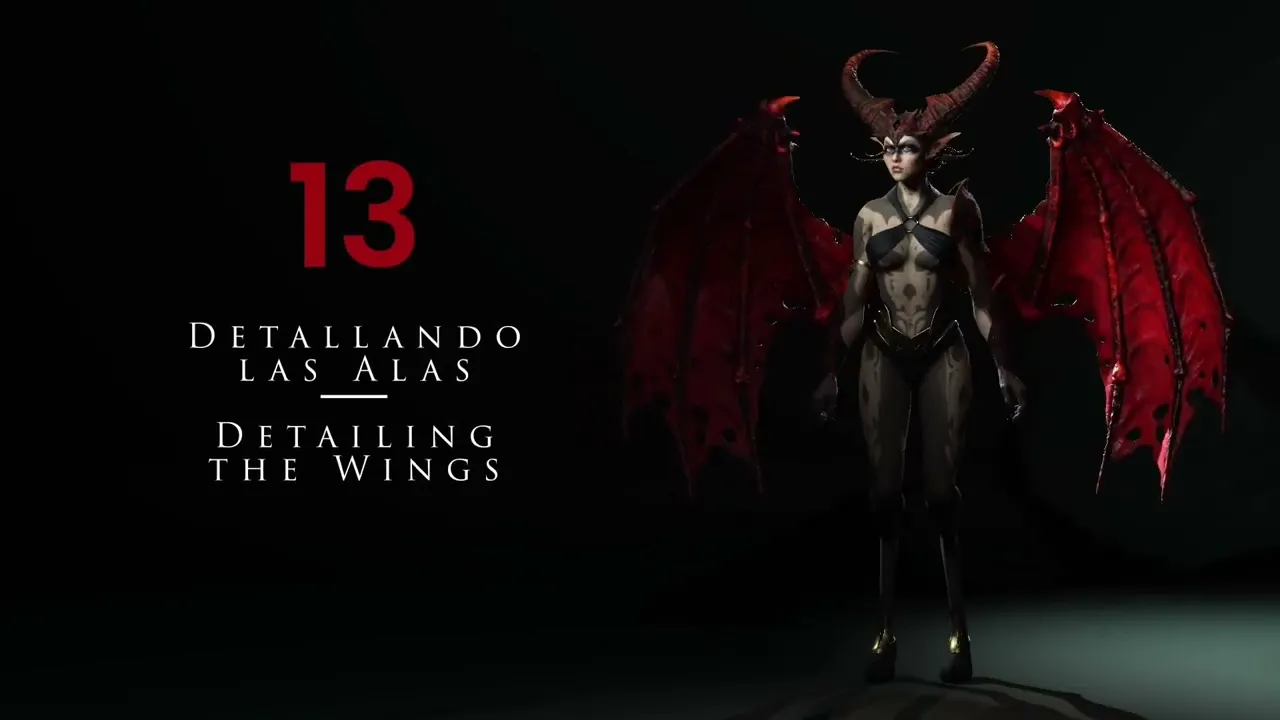
Detailing The Wings | Master Character Creator 5 & ZBrush: The Making of Veyra 13
 Reallusion
Aug 25, 2026 03:04
Reallusion
Aug 25, 2026 03:04
Create an account to hide videos, mark them watched, or save them to Don't Miss.
Create an account to hide videos, mark them watched, or save them to Don't Miss.
Create an account to hide videos, mark them watched, or save them to Don't Miss.
Chapters
TL;DR: This Character Creator 5 tutorial guides 3D artists and indie developers through expert ZBrush techniques for sculpting, optimizing, and preparing intricate character wings and fabric for 3D printing, solving the challenge of high-detail organic asset creation.
⏱️ Video Chapters:
🔑 Key Takeaways & Features:
- Optimize ZBrush Dynamesh workflow by unifying mesh scale, effectively managing polygon density from 400,000 to a workable 31,000 polygons.
- Streamline retopology with ZRemesher, preserving polygroups and achieving optimized mesh density as low as 32,000 polygons for organic forms.
- Generate precise UV maps using ZBrush UV Master's Work on Clone, Polygroup Unwrap, and Flatten features for clean texture application.
- Apply dynamic thickness for 3D printing readiness, utilizing ZBrush's dynamic subdivision with settings up to 0.8 thickness for robust, print-ready assets.
- Refine character features by sculpting advanced fabric folds using brushes like Dam Standard and incorporating procedural noise textures for realistic surface detail.
❓ Frequently Asked Questions:
Q: How do you manage high polygon counts with Dynamesh in ZBrush?
A: By using the Geometry Stagier and Unify functions to rescale the model, Dynamesh operates efficiently at lower resolutions like 128.
Q: What is the process for creating 3D print-ready wing thickness?
A: Apply dynamic subdivision thickness (e.g., 0.8) and use masking with negative inflate to create thin edges while maintaining overall structural integrity.
Q: How are UVs generated and organized for complex wing models?
A: Utilize ZBrush UV Master's Work on Clone, Polygroup Unwrap, and Flatten features to create and arrange UV islands efficiently for texture application.
💻 Software & Tools Used:
- Character Creator 5
- ZBrush
- ZBrush UV Master
- ZBrush SubTool Master
- ZBrush Brushes (Dam Standard, Inflate, Slash 2 Brush, Sculpt Pro, Move Accu Curve)
📝 Comprehensive Video Summary:
This expert tutorial, "Detailing The Wings," showcases a comprehensive workflow for sculpting intricate 3D character wings and fabric elements, designed for seamless integration within Character Creator 5. The video outlines advanced techniques performed in ZBrush, including managing high-polygon meshes with Dynamesh through scale unification and efficient retopology using ZRemesher to optimize topology for animation or 3D printing. Viewers learn to generate precise UV maps with ZBrush UV Master, apply dynamic thickness for robust 3D print-ready assets, and sculpt realistic tension folds and tears. Procedural noise textures are introduced to enhance surface detail, ensuring a high-quality, print-ready asset. The tutorial concludes with merging subtools and mirroring the completed wing for symmetrical character integration. (For the complete technical breakdown and software demonstration, please enable Closed Captions).
❆LEARN MORE❆
Learn about Character Creator 5:
https://www.reallusion.com/character-creator/
✦FOLLOW US✦
Instagram: https://www.instagram.com/reallusionofficial/
Facebook: https://www.facebook.com/ReallusionSoftware/
TikTok: https://www.tiktok.com/@reallusionofficial
LinkedIn: https://www.linkedin.com/company/reallusion
Twitter: https://twitter.com/reallusion
Blog: https://magazine.reallusion.com/
Forum: https://discussions.reallusion.com/
❆ONLINE HELP❆
Character Creator 5: https://courses.reallusion.com/home/character-creator
#CharacterCreator5 #ZBrush #3DPrinting
Film & Animation
#Character Creator 5
#CC5
#ZBrush
#ZBrush tutorial
#how to sculpt wings
#3D printing wings
#retopology ZBrush
#organic sculpting
#character wings 3D
#3D character design
#game art
#animation pipeline
#digital art
#sculpting wings
#UV mapping ZBrush