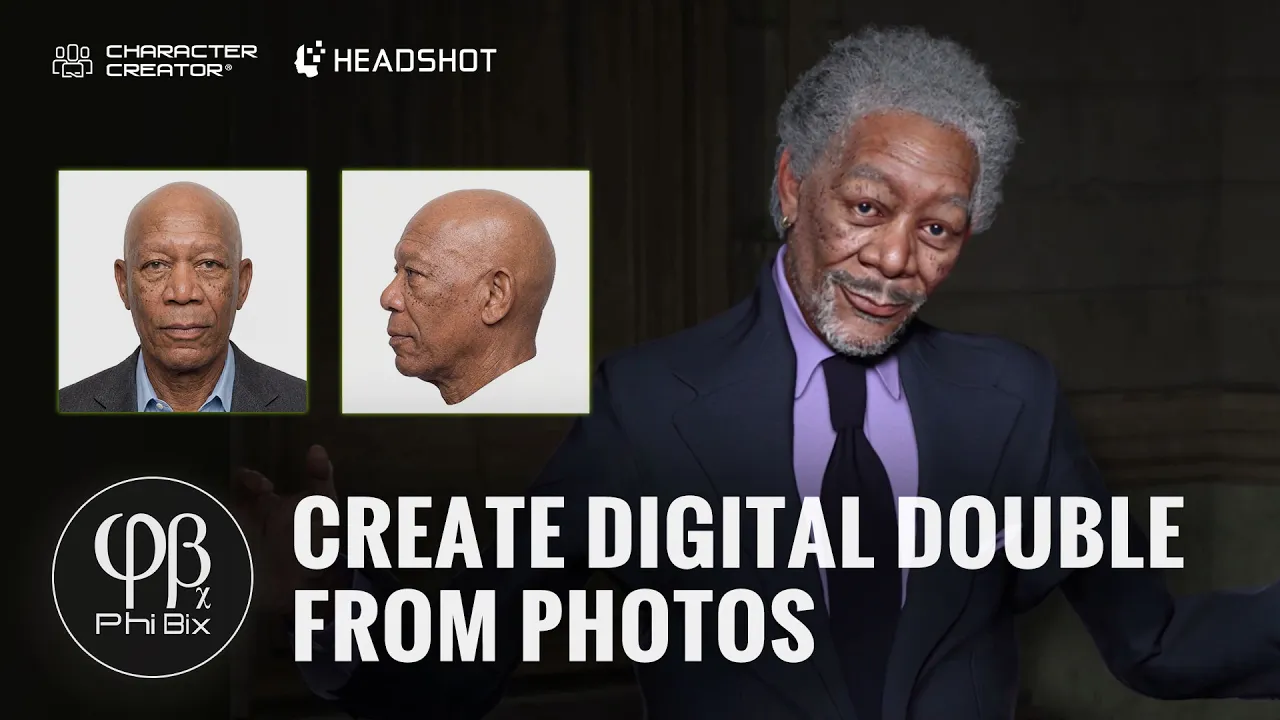
Create Digital Double from Photos: PhiBix's Photorealistic Workflow with CC5 and Headshot 3.1
 Reallusion
Aug 11, 2026 08:38
Reallusion
Aug 11, 2026 08:38
Create an account to hide videos, mark them watched, or save them to Don't Miss.
Create an account to hide videos, mark them watched, or save them to Don't Miss.
Create an account to hide videos, mark them watched, or save them to Don't Miss.
Chapters
TL;DR: Learn Phibix's expert workflow to create hyper-realistic digital doubles from photos using Character Creator 5 and Headshot 3.1. This tutorial helps 3D artists achieve unmatched photorealism and precision in character design.
⏱️ Video Chapters:
🔑 Key Takeaways & Features:
- Generate 4K resolution photorealistic head assets from single photos with Headshot 3.1.
- Refine facial and body proportions precisely using Character Creator 5's vector-based Bezier curves and morphing tools.
- Leverage AI Studio to generate multi-angle head views, including challenging under-chin perspectives, directly within Character Creator 5.
- Project textures and automatically create normal and roughness maps with Headshot 3.1's stencil and clone brush tools.
- Optimize skin tone, eye details (bloodshot sclera, iris depth), and add realistic age spots and vascular details using integrated CC5 tools and external Photoshop techniques.
❓ Frequently Asked Questions:
Q: How can I create a photorealistic digital double from a single photo using Character Creator 5?
A: Utilize Headshot 3.1 to process a frontal photo, adjusting body proportions, refining facial features with Bezier curves, and projecting textures to generate a realistic 3D model.
Q: What is the primary function of the Headshot 3.1 clone brush tool?
A: The clone brush tool allows for effortless texture painting directly onto the character's face while automatically generating high-fidelity normal and roughness maps.
Q: Is it possible to generate multiple head angles and specific views, like an under-chin perspective, automatically within Character Creator 5?
A: Yes, Character Creator 5's AI Studio can generate additional head angles and specific views by providing front and profile photos as reference images, avoiding the need for external tools.
💻 Software & Tools Used:
- Character Creator 5
- Headshot 3 for Character Creator 5
- AI Studio
- Photoshop
- Nano Banana Pro
📝 Comprehensive Video Summary:
In this expert tutorial, character designer Phibix, renowned for creating digital clones, demonstrates his workflow for generating hyper-realistic digital doubles from photos. Utilizing Character Creator 5 and the Headshot 3.1 plugin, Phibix showcases techniques to process source images, refine body and facial proportions with vector-based Bezier curves and morphing tools, and leverage AI Studio for generating multiple head angles. The video details advanced texture projection, the clone brush tool for automatic normal map creation, and external Photoshop integration for fine-tuning diffuse maps. Phibix also covers customizing skin tones, eye details, and adding age-specific features, concluding with an impressive demonstration of the final, lifelike 3D character. (For the complete technical breakdown and software demonstration, please enable Closed Captions).
❆LEARN MORE❆
Learn about Character Creator 5:
https://www.reallusion.com/character-creator/
Learn about Headshot 3:
https://www.reallusion.com/character-creator/headshot/default.html
✦FOLLOW US✦
Instagram: https://www.instagram.com/reallusionofficial/
Facebook: https://www.facebook.com/ReallusionSoftware/
TikTok: https://www.tiktok.com/@reallusionofficial
LinkedIn: https://www.linkedin.com/company/reallusion
Twitter: https://twitter.com/reallusion
Blog: https://magazine.reallusion.com/
Forum: https://discussions.reallusion.com/
❆ONLINE HELP❆
Character Creator 5: https://courses.reallusion.com/home/character-creator
#CharacterCreator5 #Headshot3 #Digitaldouble
Film & Animation
#Character Creator 5
#Headshot 3.1
#how to create digital human
#photorealistic 3D character
#Character Creator 5 workflow
#CharacterCreator5
#Headshot3
#digital twin
#3D character creation
#AI character design
#real-time 3D
#digital double
#Feelix
#Reallusion