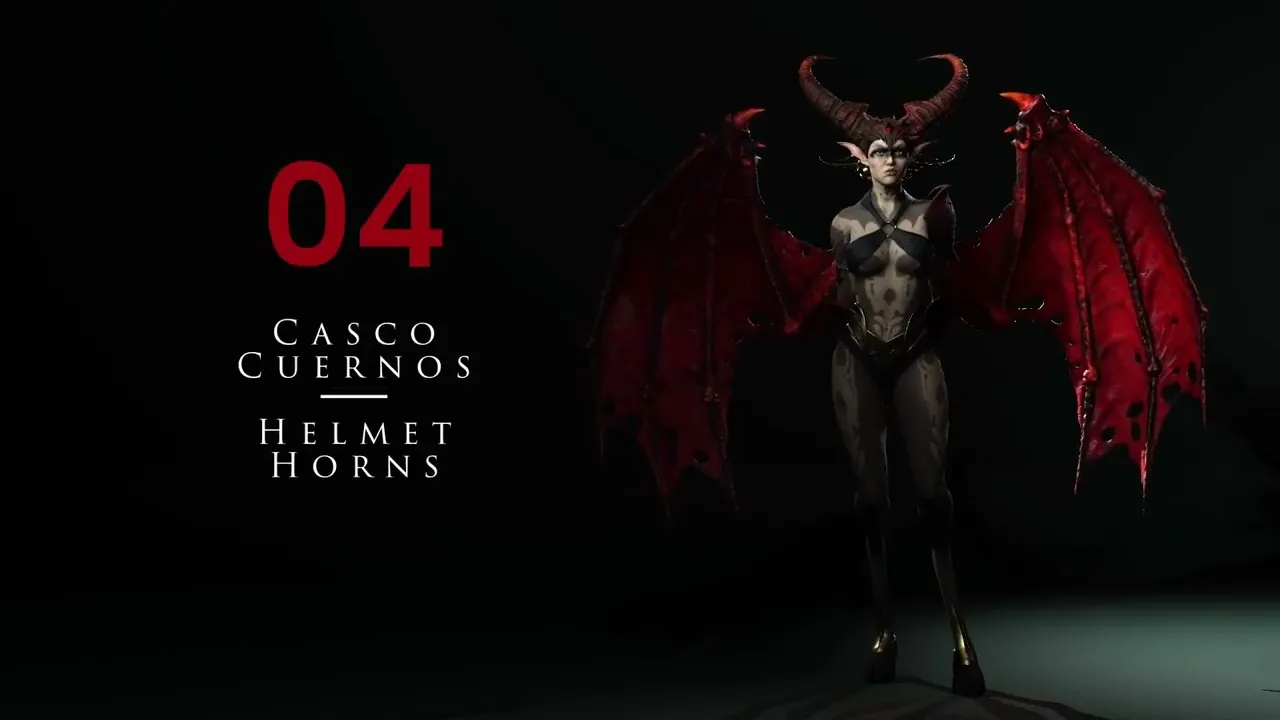
Create Amazing Helmets & Horns | Master Character Creator 5 & ZBrush: The Making of Veyra 04
 Reallusion
Aug 25, 2026 03:01
Reallusion
Aug 25, 2026 03:01
Create an account to hide videos, mark them watched, or save them to Don't Miss.
Create an account to hide videos, mark them watched, or save them to Don't Miss.
Create an account to hide videos, mark them watched, or save them to Don't Miss.
Chapters
TL;DR: This tutorial teaches 3D artists how to design and sculpt custom helmets and horns for 3D characters using ZBrush, starting from a Character Creator 5 base mesh. Solve the challenge of creating unique headwear and intricate details efficiently, bypassing complex hair modeling. This workflow ensures precise polygroup management and prepares assets for 3D printing.
⏱️ Video Chapters:
🔑 Key Takeaways & Features:
- Duplicate Character Creator 5 body subtool for a perfectly fitted base helmet mesh.
- Utilize ZBrush ZRemesher with precise polygon count controls (e.g., 200,000, 31,000, 5,000) for optimized retopology and loop structure.
- Implement PolyPainting and the "Create Polygroups from Paint Edge" function for accurate and clean panel definition.
- Apply ZBrush Panel Loops with adjustable thickness (e.g., 0.1, 0.2, 0.3 values) to add structural depth and hard-surface elements.
- Leverage Gizmo modifiers like Bend Curve and Deformer for organic horn sculpting and dynamic shape adjustments, ensuring smooth transitions.
❓ Frequently Asked Questions:
Q: How do I create a custom helmet that perfectly fits my Character Creator 5 character?
A: Duplicate the Character Creator 5 body subtool in ZBrush, then sculpt and modify it to create a custom helmet that matches the base mesh's form.
Q: What ZBrush tools are used to add detailed panel lines to a helmet?
A: PolyPainting is used to define lines, followed by "Create Polygroups from Paint Edge," and then Panel Loops with precise thickness values to generate hard-surface details.
Q: How can I sculpt organic, curved horns in ZBrush for a 3D character?
A: Start with a simple cylinder primitive, then use Gizmo modifiers such as Deformer to taper and scale, and Bend Curve to add complex organic curvature.
💻 Software & Tools Used:
- Character Creator 5
- ZBrush
- ZRemesher
- ZModeler
- Gizmo Modifiers
- PolyPaint
📝 Comprehensive Video Summary:
This video provides a technical tutorial on designing and integrating custom helmets and horns into 3D characters, leveraging Character Creator 5 as the base and ZBrush for detailed sculpting. This objective guide demonstrates a streamlined workflow for 3D artists, indie developers, and studios, focusing on creating unique character headwear without complex hair generation. The process initiates by duplicating a Character Creator 5 body subtool, then utilizes ZBrush's robust toolset including ZRemesher for optimized topology, PolyPainting for precise panel line definition, and Panel Loops for adding thickness. Further steps involve dynamic subdivision for volume, Gizmo modifiers like Deformer and Bend Curve for sculpting organic horn shapes, and careful polygroup management for refined edges, ensuring models are suitable for applications such as 3D printing. (For the complete technical breakdown and software demonstration, please enable Closed Captions).
❆LEARN MORE❆
Learn about Character Creator 5:
https://www.reallusion.com/character-creator/
✦FOLLOW US✦
Instagram: https://www.instagram.com/reallusionofficial/
Facebook: https://www.facebook.com/ReallusionSoftware/
TikTok: https://www.tiktok.com/@reallusionofficial
LinkedIn: https://www.linkedin.com/company/reallusion
Twitter: https://twitter.com/reallusion
Blog: https://magazine.reallusion.com/
Forum: https://discussions.reallusion.com/
❆ONLINE HELP❆
Character Creator 5: https://courses.reallusion.com/home/character-creator
#CharacterCreator5 #ZBrush #3DModeling
Film & Animation
#Character Creator 5
#ZBrush
#how to sculpt helmet
#how to make horns 3d
#character customization
#Character Creator tutorial
#ZBrush character sculpting
#3D helmet design
#Horn modeling
#3D character design
#digital sculpting
#character creation
#Realtime animation
#Game art