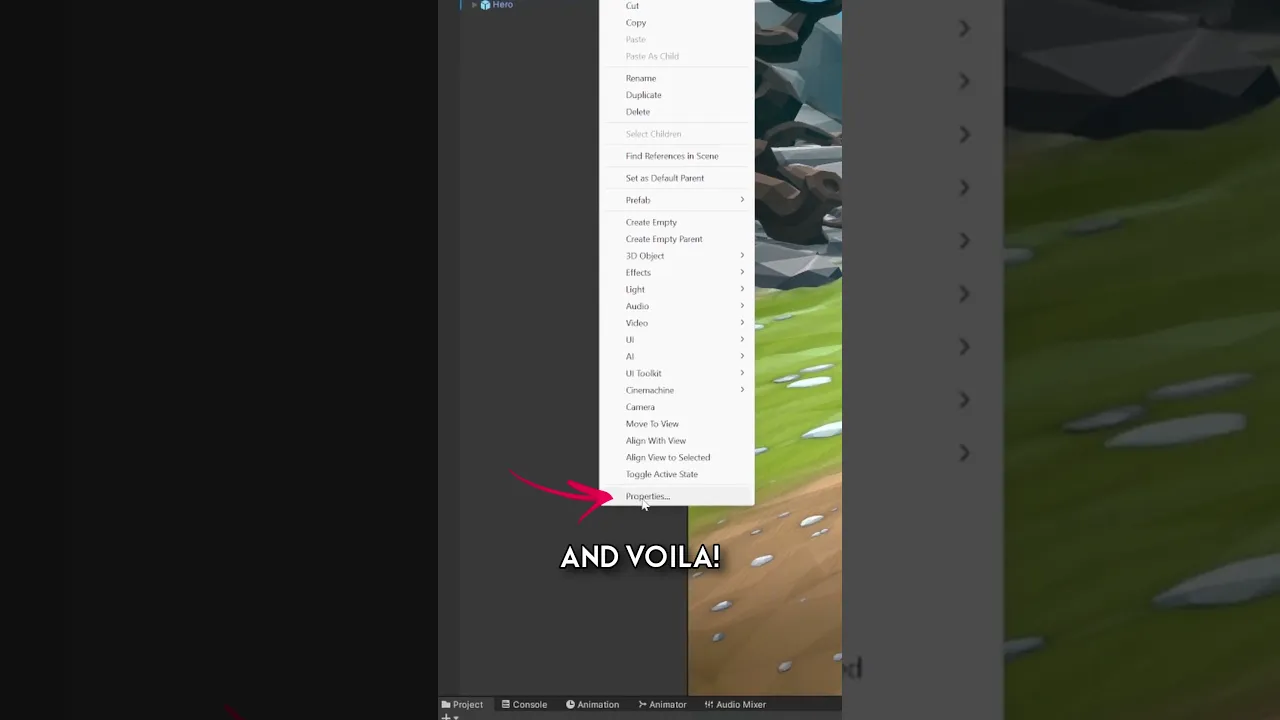
#UnityTips | Use the 'Properties' Feature for Efficient Workflow
 iHeartGameDev
Jan 2, 2024 14:00
iHeartGameDev
Jan 2, 2024 14:00
Create an account to hide videos, mark them watched, or save them to Don't Miss.
Create an account to hide videos, mark them watched, or save them to Don't Miss.
Create an account to hide videos, mark them watched, or save them to Don't Miss.
How many times have you accidentally switched to the wrong inspector window when trying to select game objects to fill different component fields? Learn how to streamline your game development process in Unity with this quick tip. Create a dedicated inspector window for any game object or asset by utilizing the 'Properties' feature.
SUPPORT THE CHANNEL AND GET EXCLUSIVE PERKS:
💛 https://www.patreon.com/iHeartGameDev (Project Files Available)
❤️ https://www.youtube.com/iHeartGameDev/join
WANT MORE?
✅ Check out my full procedural animation series: https://www.youtube.com/playlist?list=PLwyUzJb_FNeScUWldQRYMqM3Clz7XXCyq
✦ Like the vid? Please consider Subscribing!
https://bit.ly/2YdIb6j
SOCIAL:
✦ Discord
https://discord.gg/2AxUvsa
✦ Twitter
https://twitter.com/iHeartGameDev
#unity3d #unitytips #gamedev
Education
#Unity 3D
#Game Development
#Unity Tips
#Unity Inspector
#Game Design
#Unity Properties
#Efficient Workflow
#Unity Tutorial
#Game Dev Tips
#Unity Editor
#Indie Game Dev
#Unity Tricks
#Coding Tips
#Game Programming
#Unity Assets
#Game Engine
#Unity How To
#Developer Tools
#Scripting In Unity
#Unity Interface
#iHeartGameDev
#Unity Beginner
#C# Programming
#Unity Scripting
#Unity Engine
#Unity User Interface
#Best Unity Tips
#Unity Guides
#Made with Unity
#game developer