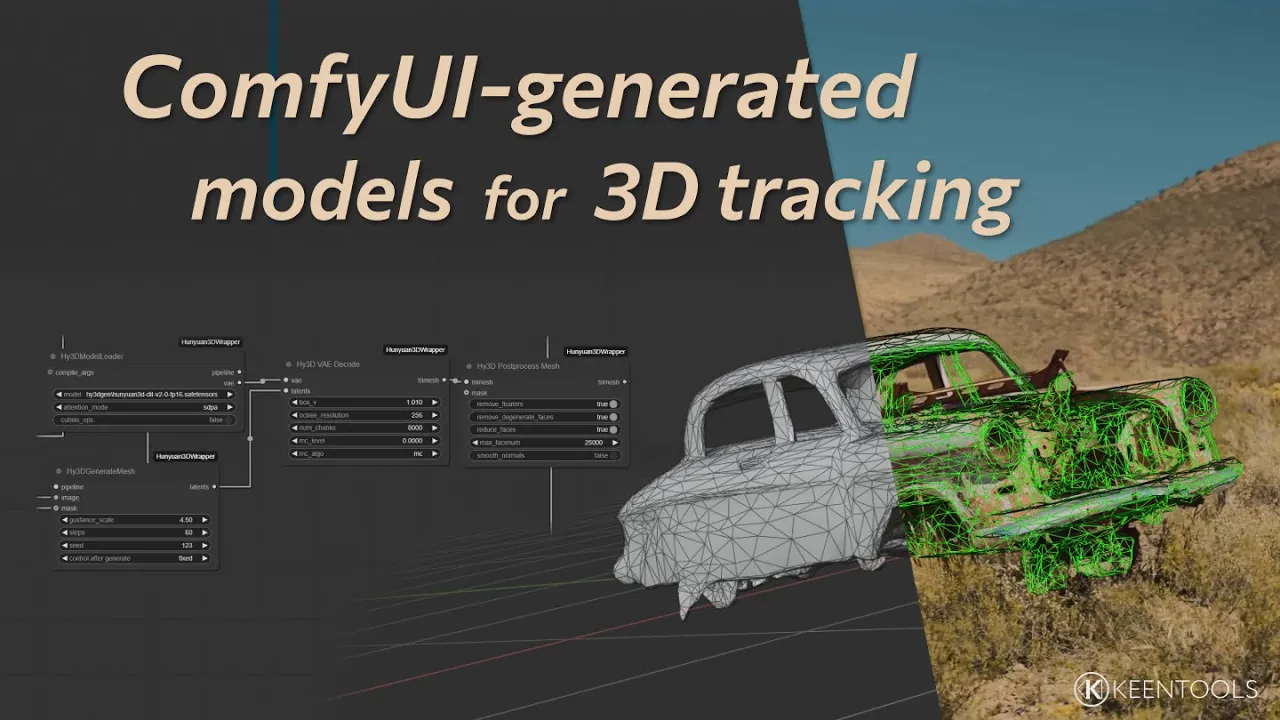
Camera Tracking with ComfyUI-generated 3D Models – GeoTracker Tutorial
 KeenTools
May 15, 2025 12:10
KeenTools
May 15, 2025 12:10
Create an account to hide videos, mark them watched, or save them to Don't Miss.
Create an account to hide videos, mark them watched, or save them to Don't Miss.
Create an account to hide videos, mark them watched, or save them to Don't Miss.
Chapters
Auto-generate a 3D model for camera or object tracking with GeoTracker from a single snapshot in ComfyUI. In this short tutorial, we’ll walk you through the whole workflow, from creating geometry with Hunyuan3D in Comfy UI to using the resulting 3D model for getting a camera track with GeoTracker. We did it in Blender, but the same workflow works for Nuke too.
Timecodes:
ComfyUI installation - https://www.youtube.com/watch?v=E_D7y0YjE88
Hunyuan3D installation - https://www.youtube.com/watch?v=zqTTYYqHBhc
Download GeoTracker for Blender: https://keentools.io/products/geotracker-for-blender
Download project files (including the ComfyUI JSON): https://link.keentools.io/example-gtb-comfyui
Subscribe to our newsletter to stay in tune with the latest updates: https://link.keentools.io/newsletter
Our website: https://keentools.io
Our social networks:
https://facebook.com/keentools
https://twitter.com/keen_tools
https://instagram.com/keentools
https://vimeo.com/keentools
https://t.me/keentools
Film & Animation
#KeenTools
#GeoTracker
#FaceTracker
#PinTool
#ReadRiggedGeo
#Nuke
#Foundry
#Object tracking
#Tracking
#Camera
#Tracker. matchmoving
#plugin
#Blackmagic
#Fusion
#Adobe
#After Effects
#VFX
#Visual Effects
#3D
#cinema
#movie
#video production
#compositing
#blender
#b3d
#camera tracking
#comfyui
#ai
#model generation