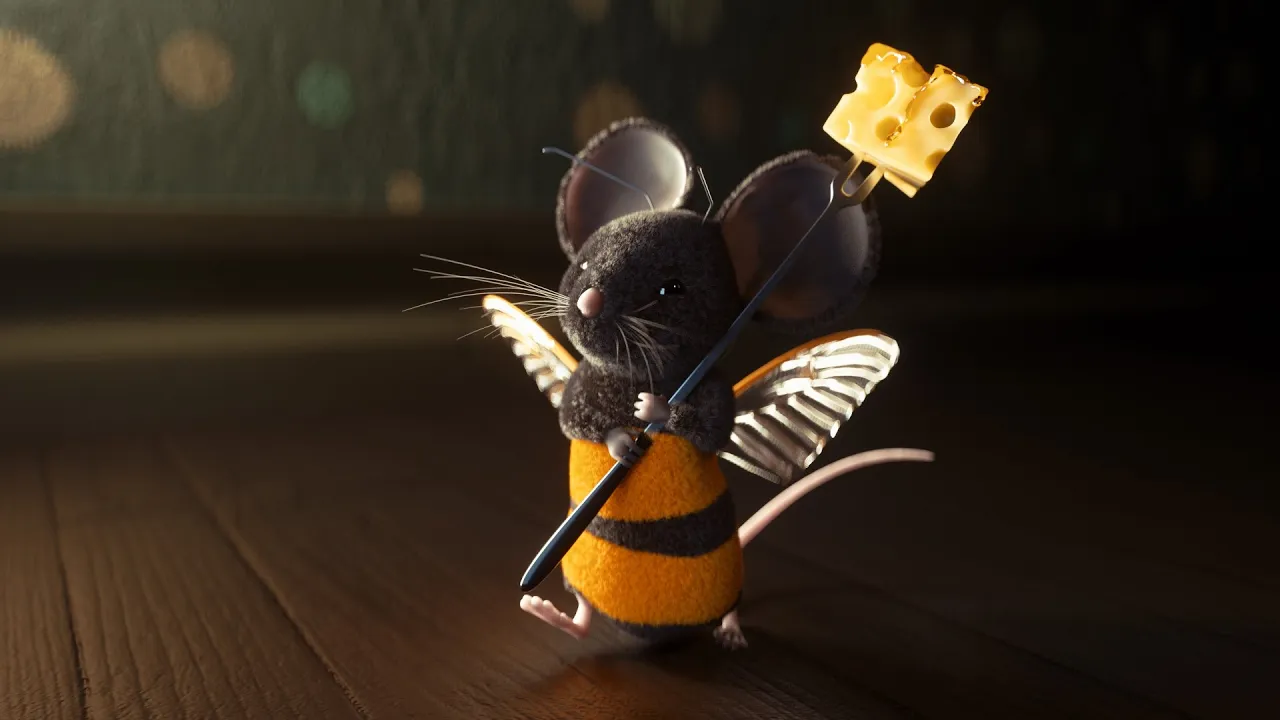
Cinema 4D Tutorial - Using Octane Render to Texture & Light a Furry Mouse Scene Part 1
 eyedesyn
Oct 15, 2019 17:15
eyedesyn
Oct 15, 2019 17:15
Create an account to hide videos, mark them watched, or save them to Don't Miss.
Create an account to hide videos, mark them watched, or save them to Don't Miss.
Create an account to hide videos, mark them watched, or save them to Don't Miss.
Chapters
In this #Cinema4D tutorial, David is going to show you how to pose and alter a rigged mouse character, dial in the hair settings, lighting, and subsurface scattering materials, and get them all looking good in #Octane, and even alter a cheese fork with Subdivision Surface modeling techniques.
Bumblemouse Tutorial Part 2: https://youtu.be/1Mix2ZMAm5M
Links:
Mouse Asset: https://www.cgtrader.com/3d-models/animals/mammal/mouse-cartoon-style-rig
One Click Walk Cycles with CMotion in Cinema 4D: https://www.youtube.com/watch?v=vXC80oMej5w&feature=youtu.be
—
Join the Eyedesyn Tutorials Facebook Group - https://www.facebook.com/groups/Eyedesyn/
Watch over 150 more FREE tutorials - http://www.eyedesyn.com/tutorials
👉 SUBSCRIBE! https://www.youtube.com/eyedesyn
NEW TO 3D? Watch the FREE Cinema 4D Lite for the 2D Animator series! http://eyedesyn.com/cinema4d-lite
What type of tutorials would you like to see next? Leave a comment!
Got a tutorial suggestion? Let me know!
http://www.eyedesyn.com/contact/
—
FOLLOW EYEDESYN ON THE WEB:
Twitter - http://twitter.com/eyedesyn
Facebook - http://facebook.com/eyedesyn
Instagram - http://instagram.com/eyedesyn
Dribbble - http://dribbble.com/eyedesyn
Behance - http://behance.net/eyedesyn
—
What You'll Learn in This Video:
In this #C4D Octane tutorial, we'll begin by downloading a mouse character from CG Trader that's originally rigged for Maya, and then reducing the rig down to its essentials for C4D. Next we'll look at references to other mouse characters so we can find a good looking pose and match it. After that, we'll add in a fork from the content browser and modify it with several subdivision surface modeling techniques until it looks more like a fondue fork. Once that's done, we'll add in the hair and go through all the different options for art directing the look, and then set selections so we limit the hair to only the regions we want. Finally, we'll add in some lighting so we can highlight details in our fuzzy Bumblemouse character, as well as dialing in the subsurface scattering shaders for his skin.! This tutorials is good for any level of Cinema 4D artist.
—
To get alerted for future live design casts & get sneak peeks at new tutorials before anyone else, sign up for the Eyedesyn Newsletter: http://eyedesyn.us7.list-manage1.com/subscribe?u=7df914c9105c05b935a035454&id=9aff80077a
Film & Animation
#octane render
#octane
#octane c4d
#c4d modeling
#c4d rigging
#character rigging
#c4d tutorial
#cinema 4d tutorial
#c4d lighting
#3d tutorial
#david ariew
#otoy octane
#octane cinema 4d tutorial
#octane cinema 4d
#octane cinema4d
#octane c4d tutorial
#mograph tutorial
#motion graphics tutorial
#learn c4d
#eyedesyn
#c4d hair
#cinema 4d hair