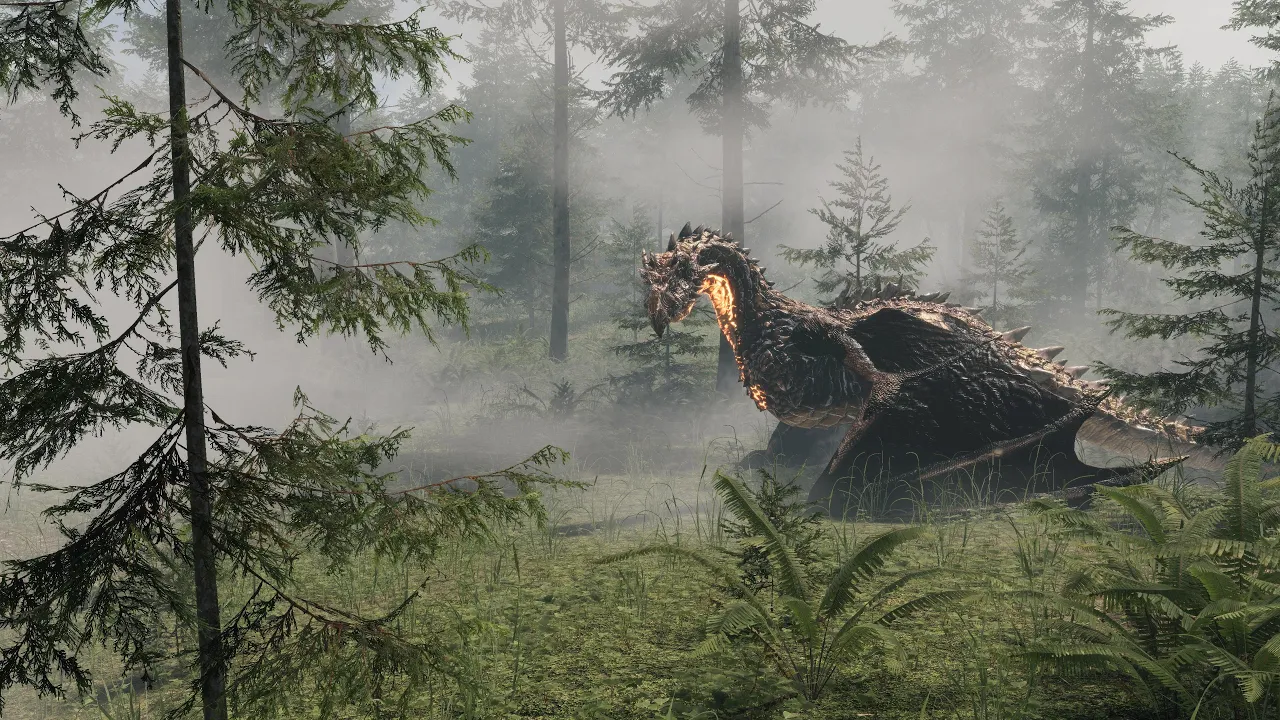
Drag & Drop Volumes - Presets for MicroVerse
 Roland C
Jan 22, 2025 19:26
Roland C
Jan 22, 2025 19:26
Create an account to hide videos, mark them watched, or save them to Don't Miss.
Create an account to hide videos, mark them watched, or save them to Don't Miss.
Create an account to hide videos, mark them watched, or save them to Don't Miss.
Chapters
Seta is one of the most inspirational experts when it comes to Unity scenes. I've been following his channel for a long time and there's always something new to learn. He provides his expertise as free Unity tutorials, there's so much to learn from. He also released several assets, among them is one with various Volumes for HDRP. I figured I'd create presets for those, so that everyone can quickly swap the Volumes and light via drag & drop.
Seta's Channel:
https://www.youtube.com/@SetaLevelDesign
Technical notes:
Please note that the prefabs include volumes and directional light. Unity allows only 1 directional light in the scene. Seta provides the full volumes including directional light. So in order to not conflict with the existing gameobjects of the default scene you need to disable the existing directional light and the existing volume. Or if you have your own, you may want to keep them or adjust them to match with the new ones, set volume priority, local or global area and so on. Either way, please make yourself familiar with how directional light and volumes work in Unity 😉
To make the use of the presets easier I also added a script to the presets which shows the directional lights in the scene and which allows you to toggle their active state directly.
And most notable: Check what's possible with Unity within 3 Minutes 😁
The update to Biomes and Presets 3 for MicroVerse is pending review by the Unity Asset Store team. Should be live within a few days.
By the way, that fading of the light is a Unity thing. I haven't figured out yet why it happens. It seems somehow related to Volumetric Clouds and SSGI. In case anyone has information about that, please do share.
Assets used:
* Biomes and Presets 3 for MicroVerse
https://assetstore.unity.com/packages/tools/terrain/biomes-and-presets-3-for-microverse-295049?aid=1011lfvh6&pubref=ribp3mv&utm_source=aff
* Drag & Drop Volumes
https://assetstore.unity.com/packages/vfx/shaders/fullscreen-camera-effects/drag-drop-volumes-257600?aid=1011lfvh6&pubref=sdndv&utm_source=aff
* World Building Bundle for MicroVerse
https://assetstore.unity.com/packages/tools/terrain/world-building-bundle-for-microverse-243593?aid=1011lfvh6&pubref=wbbmv&utm_source=aff
* Ultimate StampIT! Collection (Part of World Building Bundle for MicroVerse)
https://assetstore.unity.com/packages/3d/environments/landscapes/ultimate-stampit-collection-221299?aid=1011lfvh6&pubref=usc&utm_source=aff
* MicroVerse - Core Collection
https://assetstore.unity.com/packages/tools/terrain/microverse-core-collection-232976?aid=1011lfvh6&pubref=mcc&utm_source=aff
* Mossy Cedrus Forest
https://assetstore.unity.com/packages/3d/environments/mossy-cedrus-forest-267081?aid=1011lfvh6&pubref=mcf&utm_source=aff
* Kuzar the Magnificent (Wyvern)
https://assetstore.unity.com/packages/3d/characters/creatures/kuzar-the-magnificent-wyvern-303013?aid=1011lfvh6&pubref=mktw&utm_source=aff
* Animation Preview Pro
https://assetstore.unity.com/packages/tools/animation/animation-preview-pro-227335?aid=1011lfvh6&pubref=riapp&utm_source=aff
* Photo Session
https://assetstore.unity.com/packages/tools/camera/photo-session-227393?aid=1011lfvh6&pubref=rips&utm_source=aff
Gaming