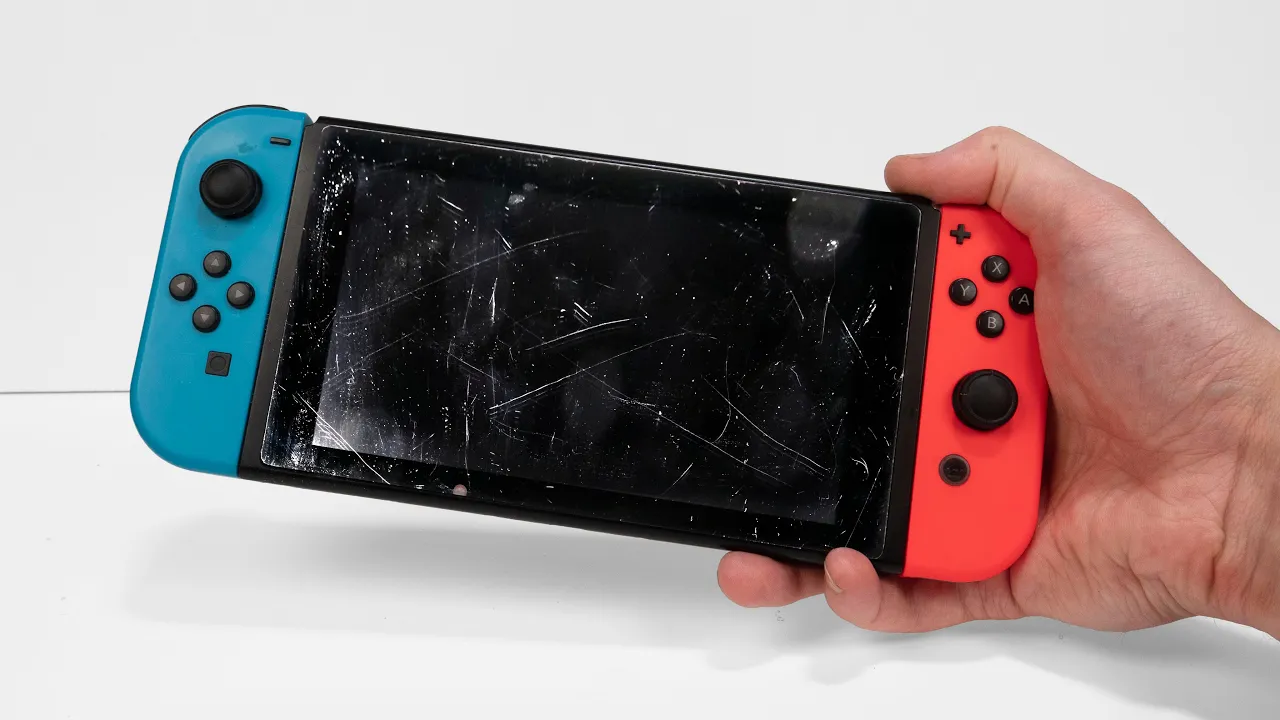
Restoration of Nintendo Switch with No Power - Console Repair
 Odd Tinkering
Jul 15, 2024 14:32
Odd Tinkering
Jul 15, 2024 14:32
Create an account to hide videos, mark them watched, or save them to Don't Miss.
Create an account to hide videos, mark them watched, or save them to Don't Miss.
Create an account to hide videos, mark them watched, or save them to Don't Miss.
In this video I will restore and repair a Nintedo Switch that won't turn on. The screen is also very scratched so I wil replace the digitizer too. The switch is already suprisingly old console and since it has already new version (OLED) available and swtich 2 is getting released soon, it's about time I make a video about the original switch.
I start by removing ton of screws. Nintendo is already using ton of different types of screws to bend the rules of right to repair. After removing the screws and gaining access to the mother board I test the charging IC with a multimeter and since that seemed to be fine I figured the problem is likely with the USB C port, because the console gave no signs of life when charging. The issue could be something worse but when I had removed the motherboard I could see the USB C port was damaged.
To replace the USB C port I bought a new port (link can be found bellow). I used a heat gun to remove the old port and aluminium tape to shield some of the parts near the port. I used first 380 °C for about a minute or two to heat everything up and then I turned the heat up to 480 °C until the part came loose. The part will fall off with a little tap. There's no need to use any force, it will only damage the board if you try to do so. After removing the part I checked the contacts were ok and soldered a new port in. After the port was heated up I checked the contacts looked soldered correctly. Some of teh pins are under the port so I can't see if those are soldered, but could check it with a USB C test board before you plug it in be 100% sure you won't cause any damage.
Next I replaced the digitizer since I was replacing the digitizer I didn't need to be careful with it, If you are going to put the same dugutizer back on, you wan't to be careful when beding the digitizer and working around the ribbon cable. Finally I cleaned the parts from dust and replaced the old thermal paste.
The bellow links to amazon are affiliate links. I get a small fee of anything you buy after clicking them, but you pay no more than without clicking. This is a great way to support my channel.
---------------------------------------------------------------------
Check out my Instagram: https://www.instagram.com/odd.tinkering/
T-Shirts: teespring.com/stores/odd-tinkering-2
Support me on Patreon: https://www.patreon.com/oddtinkering
SOME TOOLS and PARTS FROM THIS PROJECT:
Screw driver set: https://amzn.to/3WB3YjP
Soldering station: https://amzn.to/3t75jWc
Multimeter: https://amzn.to/3wGZq3w
Isopropyl alcohol: https://amzn.to/42vUdX0
USB C port: https://amzn.to/3W5vMO9
Switch Digitizer: https://amzn.to/3zIeRty
Thermal paste: https://amzn.to/3W6QTje
Prying tool set: https://amzn.to/3LnOgEB
Crash Team Racing for switch: https://amzn.to/4d0hkhd
---------------------------------------------------------------------
SUBSCRIBE ▶▶▶ https://www.youtube.com/channel/UCf_suVrG2dA5BTjJhNLwthQ?sub_confirmation=1
---------------------------------------------------------------------
#restoration
#repair
#tech
#asmr
#tech
Education
#restoration
#nintendo switch
#repair
#broken
#no power
#restore
#playstation repair
#retrobright
#gameboy
#playstation restoration
#tech
#phone repair
#ps5
#playstation 5
#ebay junk repair
#nintendo
#retro console
#gaming
#gaming restoration
#console restoration
#console repair
#xbox
#asmr
#asmr restoration
#asmr repair
#asmr sleep
#tools
#retro gaming
#asmr no talking
#asmr relax
#restoration videos
#psp
#ps2
#cleaning
#cleaning asmr
#tronicsfix
#nintendo repair
#usb replacement
#digitizer