Drawing an Etch-Mask Directly onto a PCB using a Vintage Plotter
 Jirka Zima (swarm)
Jul 14, 2019 16:28
Jirka Zima (swarm)
Jul 14, 2019 16:28
Create an account to hide videos, mark them watched, or save them to Don't Miss.
Create an account to hide videos, mark them watched, or save them to Don't Miss.
Create an account to hide videos, mark them watched, or save them to Don't Miss.
David's notes: The Aritma Minigraf 0507 plotter was introduced to the market in socialist Czechoslovakia in 1987 but due to limited production and high price, these only appeared in schools and research institutions back then.
I've always wondered how great it would be to make such plotter to do the job, when I was trying to make PCBs. Back then, we were using technical pens (those with tubular nib of defined diameter) filled with smelly pink lacquer to protect the copper areas that should remain after etching. This required steady hand and patience as it blotted very easily. Using a ruler was problematic too as the lacquer dried slowly. Passing a trace between DIL16 pads required master skills and was never without a risk of being forced to use a scalpel to rub off spilled paint. On top of that, the final result always looked just ugly at best.
Photosensitive boards were quite expensive back in those days, the technology required films and even-illumination UV light source so it seemed to me that the plotter would be the best solution for amateur production.
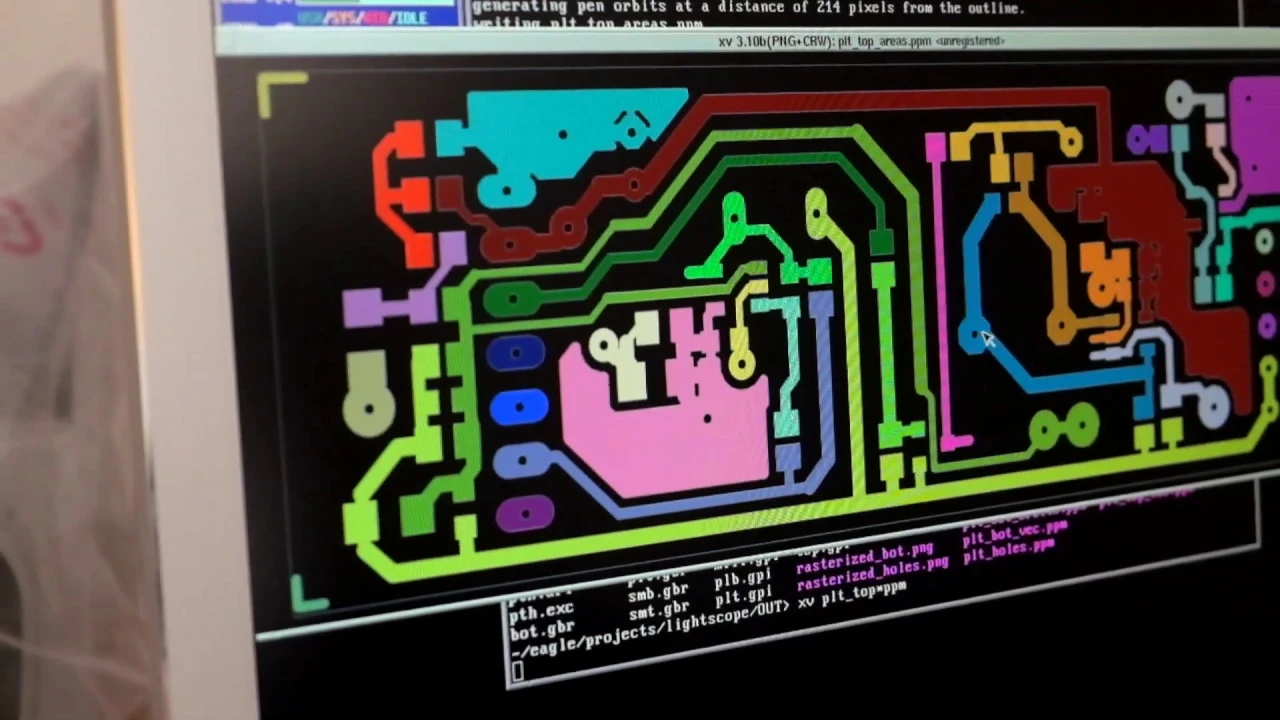
Several years ago a friend of mine donated me this plotter so I could finally try to find out how practical it would be. I wrote a simple program to generate vectors to be sent to the plotter from a high resolution image of the board (which can be easily obtained by gerbv program from the Gerber files). The interfacing electronics was made from a 32bit ARM MCU and a 74HCT245 bus driver used as a 3.3V to 5V level shifter. The MCU reads drawing commands from USB and translates them into motors movements.
The results are quite usable for single sided boards with DIL or coarse pitched SMD packages (like SO-8). See for yourself near the end of the video (yes I know, I should buy new drill bits and should have washed off the pen's color before soldering).
To conclude, I found the plotter to be useful even today for prototyping. Making a board like this takes less an hour (including setting everything up), whereas having it produced by a specialized company (for a reasonable price) takes at least a week. Of course, double sided PCBs with finer packages and solder stop mask are in a different league and I don't even consider making them at home. The effort required would not simply pay off.
Aritma 0507 Plotter specs:
- Step size of 0.125 mm.
- Maximum speed about 150 mm/s.
- Power consumption about 35 W (interestingly, it has a switching power supply).
- Interface: 7 wire TTL: 3 wires for each motor, 1 wire for PEN_DOWN signal. The 3 wires encode the step number modulo 8, the plotter electronics translates this into 4 signals that directly drive stepper motor coils.
The plotter seems to me as if it was designed by two people, only one of them being smart. Or perhaps by an engineer who ran out of the time or budget during the development. Some of its features are just awesome, some are weird to say the least. On the plus side, it is very stiff and precise, much better than current 3D printers like Prusa MK2 (whose movements are rather springy due to the timing belts). The perpendicularity of the axes is perfect (I measured the error to be less than a half step at the length of an A4 paper, i.e. atan(0.125/(2*290))*180/pi ≈ 0.0123°). The X axis has almost no backlash (lower than a single step) and the Y axis has backlash of about two steps. Now the negatives: There is no end-stop switch. Therefore, the plotter requires human to tell it where the X=0 line is and therefore it can never be sure whether it crashed the head to the side wall. The second bad news is a rather flimsy pen holder, holding the pen too high above the paper level. Lowering and lifting the pen up introduces larger error than backlash and geometry errors combined. It comes from two reasons. Firstly, the pen holding mechanism is somewhat wonky. Secondly, the pen does not move up and down along a line but rather rotates around the pivot. When the pen is not properly tightened, it can slip a bit after hitting the paper so many times while drawing. This changes radius of the pen's tip circular motion around the pivot, which translates to a Y-offset error. Also, rotating the pen around its axis of the highest moment of inertia makes lowering and elevating it rather slow (it takes about 50 ms before all the oscillations damp out).
Nevertheless, this plotter is still better than using a cheap 3D printer for this purpose. The only sad thing about it is that it could have been designed to be a much better device with little additional effort.
DOWNLOAD
The PCB vectorizing program can be downloaded from http://atrey.karlin.mff.cuni.cz/~klusacek/minigraf but don't expect the virtue of software engineering. It is just a quick hack (it could be easily made much faster and much less memory demanding but I was not patient enough).
Science & Technology